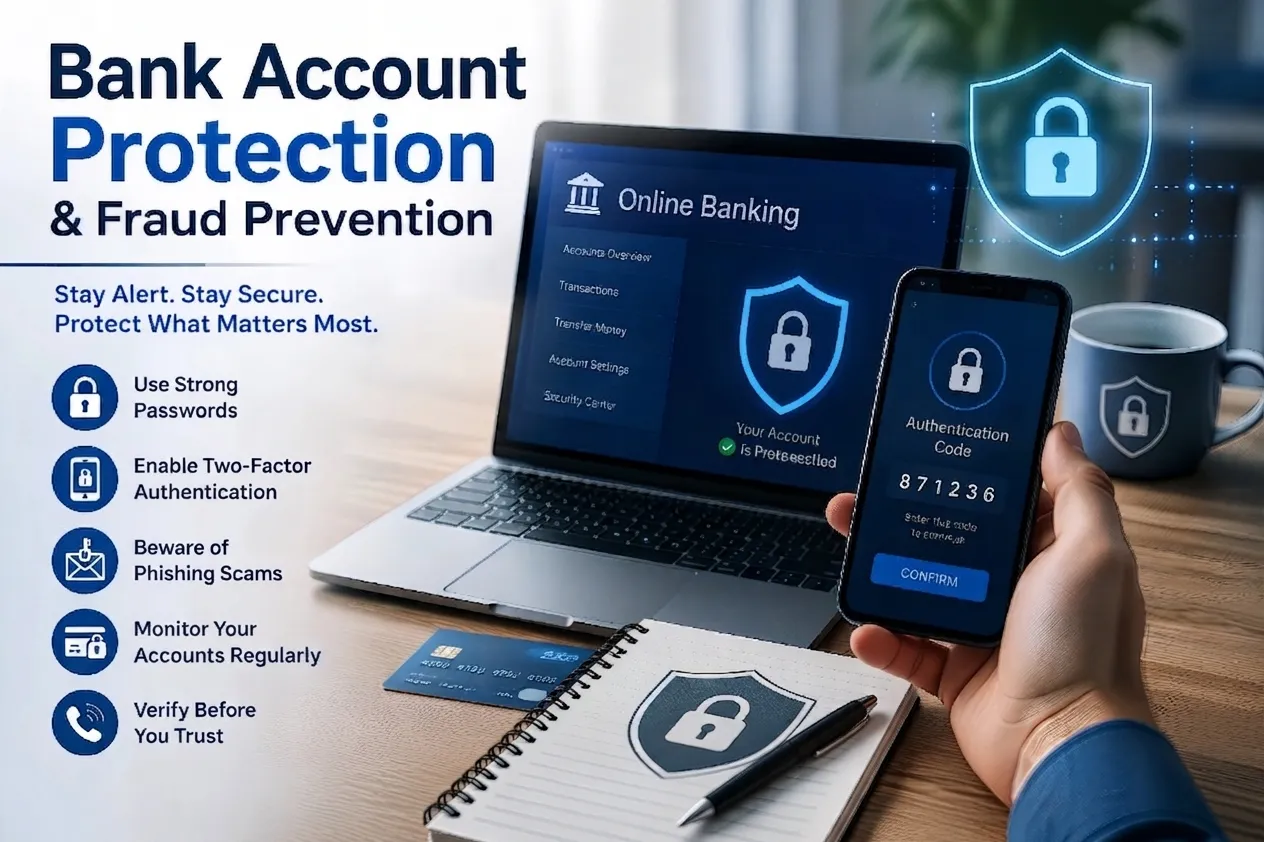
Your guide to understanding fraud and online threats — explained in plain language, built with special care for older adults, and open to anyone who wants to navigate the digital world with more confidence.
Cyber Angel Security began after a real case reported in the media: an elderly individual became the victim of a scam. That single story became a long-term commitment to awareness and prevention in digital environments.
Cyber Angel Security is not a software company or a government entity. It is an independent awareness and guidance initiative focused on sharing reliable information and increasing awareness of online risks. Our goal is to communicate clearly, supporting individuals in protecting their information, financial resources, and digital well-being.
The spirit of Cyber Angel includes a commitment to looking after our neighbors and our communities. In an increasingly interconnected world, we are closer than we often realize.
Beyond individual protection, we recognize the importance of the human factor in cybersecurity. Often called the most vulnerable element, it can also become a source of resilience when strengthened through awareness and education. We support principles of digital citizenship and informed interaction with recognized institutions such as CISA, the FBI, and the FTC.
Our goal is a truly interconnected environment where citizens, communities, businesses, and government stand together as a resilient front against fraud — reflecting the principles established by major frameworks such as NIST.
As many older adults embrace new technologies to stay connected with family, manage finances, and handle daily tasks, they deserve to do so with confidence and peace of mind. While these tools offer real convenience, they can also introduce complex security challenges. We explain digital safety through clear examples, familiar situations, and simple habits that can be applied immediately — helping seniors recognize fraud tactics, protect their well-being, and strengthen the security of families and communities as a whole.
Our message is clear: Cyber Angel Security is designed with special attention to older adults, while also supporting anyone who has never previously focused on digital security — whether you're beginning online banking, shopping on the internet, or exploring digital services for the first time.
To make this commitment real, our educational approach is built on clarity, patience, and gradual learning. For this reason, some explanations may appear intentionally repetitive or more detailed than usual — a deliberate choice, because step-by-step guidance reduces uncertainty and lets each person absorb concepts at their own pace. Behind every simple explanation, metaphor, and case study lies a carefully developed approach designed to make cybersecurity accessible without compromising its technical rigor.
Core concepts explained clearly and directly, supporting understanding of common threats and basic protective measures.
Actionable advice to encourage safe habits in everyday digital activities, making security a natural part of your routine.
Real-world examples that illustrate common manipulation techniques and support early recognition and resistance.
Information to support lawful action, including references to official institutions for those who choose to contribute.
Cyber Angel Security aims to help people recognize and apply the natural judgment they already possess in their online interactions, and to demonstrate that understanding technical topics does not require technical language.
An informed individual is naturally better equipped to maintain control over their digital safety, significantly reducing critical risks such as financial loss, identity theft, and emotional distress.
This platform is engineered for citizens and residents of the United States, welcoming individuals of all generations while maintaining a profound commitment to older adults and veterans. Their lifelong experience and dedicated service have shaped the fabric of our communities, and this platform honors that legacy through clear, respectful, and practical cybersecurity awareness.
Our objective is to build a trusted haven rooted in respect and peace of mind — content carefully tailored to reduce the anxiety and uncertainty often triggered by modern digital threats.
This platform provides awareness and informational resources only. The digital threat landscape evolves constantly, so applying any insight, tool, or recommendation is entirely at your own discretion. We assume no liability for technical outcomes, system integrity, or device performance.
A highly restricted feedback mechanism may be introduced in future. To preserve anonymity, no real names or emails will be required, and the “@” symbol will be restricted from entry. Generic identifiers such as “John Doe” may be used.
This platform uses the concept of angels purely as an artistic representation of protection, awareness, and strength. Inspired by classical sculpture and timeless allegory, our visual identity reflects vigilance, clarity, and resilience. The eagle represents vision and sharp awareness — essential qualities for navigating the digital world safely.
All visual assets on this platform are generated using advanced digital models for visual creation, embracing a diverse and inclusive approach across skin tones, features, and cultural characteristics. These figures are not intended to depict religious or spiritual entities; they serve strictly as a modern, secular metaphor for digital security and community defense, with no theological affiliation or intent.
Artificial Intelligence is a sophisticated tool. Just as it assists in learning, innovation, and problem-solving, it can also be used by malicious actors to challenge our ability to distinguish what is authentic from what is manipulated.
The Technology: AI can analyze a brief sample of a person's voice and create a highly realistic synthetic version. Combined with conversational AI or real-time voice conversion, scammers can imitate trusted individuals convincingly.
In Practice: You may receive a call that sounds precisely like a family member or close friend describing an urgent, distressing situation.
The Smart Response: Do not rely on sound alone. If a call involves intense urgency, immediate financial requests, or a “secret” crisis, calmly conclude the conversation.
The Verification Path: Immediately contact that individual using the trusted number already saved in your phone. Direct verification completely neutralizes the illusion of a cloned voice.
The AI Evolution: Digital fraud was historically recognizable by poor spelling or awkward phrasing. Today, AI can generate flawless, professional messages, removing traditional warning signs.
In Practice: You may receive emails that appear to come from an attorney, a bank, or an official representative, using highly credible language.
The Smart Response: Evaluate a message by the action it requests, not by how polished it appears.
The Red Flag: If a communication pressures you to click a link, disclose personal details, or act with immediate haste — pause and verify, regardless of its professional appearance.
The AI Evolution: Standard antivirus software traditionally detected threats by recognizing known signatures. Today, AI allows certain malware to subtly alter its appearance each time it attempts to access a system.
In Practice: A file may appear harmless and remain dormant until a specific moment to execute its payload.
The Smart Response: Before trusting any unexpected file, message, call, or urgent request, pause for a conscious, context-based evaluation. Ask yourself:
Security Habits: Avoid downloading attachments from unverified sources. Keeping your operating system and apps updated remains a reliable way to reduce vulnerabilities.
Today's AI can create highly realistic synthetic video, imagery, and audio. Often, this material isn't built to inform — it's built to shape perception and trigger intense emotional responses like fear, outrage, or urgency.
The Human-Centric Defense: Because synthetic content can achieve near-flawless realism, resilience can't rely solely on spotting technical flaws. It requires evaluating the broader context, questioning the underlying intent, and deliberately pausing before reacting or sharing.
Manipulated videos (deepfakes) and AI-generated imagery have a significant capacity to disrupt social trust. A single altered asset can compromise an institution's reputation within seconds, triggering a chain reaction of skepticism that is exceptionally difficult to reverse. Misinformation doesn't merely distort reality — it undermines public confidence, damages reputations, and manipulates how communities interpret pivotal events.
Freedom of expression is a fundamental pillar, but it coexists with the responsibility to communicate with accuracy and restraint. Both public figures and private citizens are entitled to have truth prevail over rumors and fabricated narratives.
In traditional networking, architecture is divided into technical layers. Layer 8, however, is neither hardware nor software — it represents the human element: our habits, awareness, judgment, and moments of distraction.
Threat actors understand this thoroughly. Rather than compromise complex, encrypted systems, they target human behavior by exploiting urgency, fear, or misplaced trust. Most cybersecurity incidents don't originate from a technical failure — they come from simple, unverified human actions: clicking an ambiguous link, disclosing sensitive information, downloading an unexpected file.
Bypassing advanced cryptographic systems is technically complex and costly for attackers; influencing human behavior is often simpler and far more effective. This is where social engineering becomes central to modern threats — psychological manipulation designed to influence decisions, fabricate false trust, or engineer a sense of crisis.
Data points that can explicitly identify you (e.g., full name, physical residence, or business address). This information must be handled with deliberate care, even when parts of it live in the public domain.
High-stakes data demanding the absolute highest standard of protection. Unauthorized exposure of SPII directly leads to identity theft, severe financial harm, or systemic fraud.
Sensitive information should never be shared through unsolicited, unverified, or unexpected channels. These categories require absolute caution and mandatory verification before any disclosure:
Digital threats rely on impersonation, psychological manipulation, and carefully designed elements to appear legitimate. Recognizing these patterns is the first step to spotting warning signs before interacting with suspicious communications.
A social engineering technique where actors impersonate legitimate organizations or trusted individuals to deceive people into revealing sensitive information — delivered by email, text, social media, or other channels.
Fraudulent environments engineered to imitate authentic services or marketplaces, often with subtle inconsistencies in domain structure or naming that require close inspection.
A telephone-based form of phishing where actors impersonate representatives or institutions to create urgency and obtain confidential information or unauthorized financial action.
One of the most common phishing channels, given how many services connect through email — financial platforms, healthcare, and personal communications. Independent verification is essential before acting.
Many phishing attacks depend on imitation, not advanced technology. A single altered character, an added letter, or a different domain extension can be enough to create the appearance of legitimacy.
| Official Platform | Attack Variant | The Deceptive Tactic |
|---|---|---|
| paypal.com | paypa1.com | Character Substitution: using the numeral 1 to mimic the lowercase letter l. |
| amazon.com | amaz0n.com | Numerical Substitution: substituting the numeral 0 for the lowercase letter o. |
| mybank.com | mybank.co | Domain Extension Tampering: deploying a .co TLD instead of the official .com. |
| gov.example | login.gov.example.com | Subdomain Trap: fabricating a misleading prefix; the true destination is example.com, not .gov. |
Educational Disclaimer: The corporate names, domains, and email addresses used below (such as SolarBancz, NorthTelz, GreenEnergyz, BlueWave Financez, and CityHealthcarez) are entirely fictitious, created strictly for educational and illustrative purposes. Any resemblance to real organizations or live domains is coincidental and implies no association or endorsement.
An essential indicator when auditing an email is the domain — the structural string following the “@” symbol. A correct domain alone doesn't guarantee legitimacy, but analyzing its structure helps identify fraudulent attempts.
Threat actors modify domain strings by introducing extra words, hyphens, or subtle variations to craft an appearance of official authority.
Key Behavioral Observations: In authentic corporate environments, the organization's verified identity immediately follows the @ symbol — no extraneous hyphens, auxiliary words, or abnormal security warnings embedded within the domain name itself. Words like security, verification, update, or alert tacked onto a domain are tactical maneuvers to simulate official status and induce compliance.
Not a separate app or paid subscription. Within platforms like Gmail, this is a built-in feature powered by AI systems that continuously analyze incoming messages.
Automated defenses act as a digital checkpoint, identifying and filtering a significant portion of malicious or unwanted messages before they reach your inbox.
By reducing spam and irrelevant traffic, filtering helps you focus attention on legitimate, relevant communications.
Although automated systems provide an important first layer of protection, user participation remains essential.
Know the difference: use Mark as Spam for unwanted ads or junk email that's disruptive but not designed to compromise security. Use Report Phishing for messages designed to steal passwords, financial information, or other sensitive data.
Open the suspicious message, select the three vertical dots icon (⋮) near the reply options, and choose Report phishing or Report spam.
Open the message, tap the three dots icon (…) in the upper-right, and select Report phishing or Report spam.
Depending on the Gmail interface version, only Report spam may be visible — selecting it is still valuable, since Gmail's systems analyze message characteristics and may classify phishing indicators automatically. Outlook, Apple Mail, and Yahoo Mail include similar built-in reporting features.
For fraud involving financial loss, identity theft, or significant security concerns, report the incident through official channels such as the Federal Trade Commission (FTC) or the FBI Internet Crime Complaint Center (IC3.gov). These reports help authorities identify cybercrime patterns and can support financial institutions during dispute reviews.
Even with careful habits, financial fraud can still occur. One effective way to reduce risk is to enable real-time communication from your bank whenever account activity happens — an early awareness mechanism.
Access your bank's app or website and locate “Alerts” or “Notifications.” Configure alerts for purchases or withdrawals above a low threshold, such as $1–$5.
Unauthorized actors may start with small “test” transactions to verify a card is active. Low-value charges can seem insignificant, but confirm whether payment details are valid — once confirmed, larger or recurring charges can follow.
Enable alerts for new or unrecognized authentication attempts in your bank's security settings — new device, browser, or location.
These are typically delivered by text, email, or the bank's official app. If a login attempt isn't recognized, review the activity and take appropriate action immediately.
Prefer push notifications through your bank's official app over SMS text alerts whenever available.
SMS can sometimes be impersonated or spoofed. Push notifications through the official app operate within a more secure environment, linked directly to your authenticated session.
Avoid using links in unsolicited messages. Financial institutions and government agencies (commercial banks, the IRS, the Social Security Administration) typically will never ask you to click a link to verify your identity or submit sensitive information.
The Safe Approach: Close the email or message immediately. Manually type the official website address into your browser, or use the official mobile application.
Financial institutions, payment services, and government agencies are among the most frequently impersonated organizations in digital fraud. Whether by email, text, phone, or website, the same principle applies: pause and verify before responding.
The Emotion Check: Assess whether the message creates urgency, fear, or excitement. These emotional triggers are commonly used to influence rapid decisions.
The Independent Path: Verify the information using a trusted source. Avoid links, phone numbers, or buttons included within the message.
Voice Calls (Vishing): Don't rely solely on caller ID or a familiar voice — spoofing and AI voice cloning can make fraudulent calls sound trusted. End suspicious calls and call back using a number you already have.
SMS, Email & Websites: Avoid clicking links or opening unexpected attachments. Access your bank's site or app directly instead.
login.gov.example.com, the actual routing domain is example.com, not the login.gov prefix.Industry Insight: Google updated Chrome by removing the classic padlock icon, since many users incorrectly associated it with website legitimacy rather than simple encryption. It was replaced with a neutral settings icon — two horizontal sliders — encouraging users to actively inspect connection security rather than rely on a passive symbol.
Legitimate institutions generally don't request passwords, verification codes, or credentials through unsolicited communications. Treat any unexpected request with heightened caution.
If a communication appears suspicious, end it immediately. Verify using the official number on the back of your card or in verified documentation.
Avoid links or contact details embedded in an unverified message. Manually enter your bank's web address or use its official app.
Financial fraud and digital scams don't operate in isolation — they affect the broader ecosystem of trust shared between users, financial institutions, and public services. Reporting suspicious activity is an essential contribution to collective security.
Reports help companies and public agencies identify unauthorized exploitation of their identities, enabling rapid public warnings and takedowns of fraudulent web infrastructure.
Major organizations, including Amazon and PayPal, maintain dedicated security routing addresses for suspicious messages, letting internal teams investigate the source.
For documenting internet crimes and complex financial fraud through the Internet Crime Complaint Center (IC3.gov).
The central authority for reporting everyday financial scams, deceptive business practices, and identity theft.
The foundational agency for reporting significant cyber incidents that threaten critical infrastructure or public services.
The “Interstitial” (Exit Notice): the brief message that appears saying: “You are now leaving Cyber Angel Security to visit a trusted government partner.”
Cybersecurity is often seen as a technical discipline, but effective protection is largely shaped by everyday behavior. Transferable skills — developed throughout life — function as practical tools for recognizing risk and responding with confidence.
What is it? The ability to analyze a situation, understand its root cause, and identify a clear, effective solution.
Tracey receives a text from her bank stating her account has been locked due to suspicious activity, urging her to click a link immediately. The tone is urgent and concerning.
Instead of reacting immediately, Tracey approaches it methodically: she notices the urgency and the link — a common fraud tactic; she recognizes that banks never send direct login links via SMS, meaning an attacker is likely spoofing her bank to harvest credentials; and rather than clicking, she contacts her bank directly using the official number on her card.
The Result: Tracey confirms the message was fraudulent. By pausing to assess and verify the source, she avoids exposing her personal information and prevents a security incident.
What is it? The ability to share information clearly with both technical and non-technical audiences — essential for explaining risks like phishing in a way that's simple, accurate, and actionable.
While visiting your grandmother, Amanda, she's setting up a new router and grows concerned after several security alerts she doesn't understand, worried she's triggered a virus.
By applying effective communication, you: listen first, asking which alerts concerned her; simplify the technical — “it's like a smoke detector going off while cooking, it doesn't always mean there's a real fire”; walk her through simple steps with reassuring language; and confirm understanding by having her go through the steps herself.
The Result: Grandma Amanda resolves the issue and gains confidence for similar alerts in the future. Effective communication isn't only about sharing information — it's about making it understandable, practical, and reassuring.
What is it? The willingness to continuously learn, adapt, and improve in response to new challenges.
Your device becomes infected with a virus while browsing. Your system slows down and functions stop working. Instead of frustration, you think: “This is an opportunity to strengthen my understanding of online security.”
Rather than waiting for someone else to fix it, you: research the situation — recently visited sites, recent downloads, your antimalware status — to identify possible gaps; take informed action, following safe recommended steps to remove the threat; and strengthen your defenses by keeping your system updated and improving browsing habits.
The Result: Each incident becomes a chance to strengthen your digital resilience, leading to better decision-making and a more proactive approach over time.
Turning knowledge into effective protection requires responsible action — reliable tools, regular updates, and secure practices. True growth isn't defined solely by solving every problem independently, but also by recognizing when a situation calls for expert guidance. We aim to inspire you to bring your unique real-world skills — problem-solving, critical thinking, patience — into the digital space, strengthening your own security while protecting your neighbors and community.
The soft skills above — problem solving, critical thinking, effective communication — help us recognize warning signs and make informed decisions before taking action. This protocol is a practical framework for distinguishing legitimate interactions from deceptive ones.
Recommended Action: Do not engage. Access the platform directly by entering cyberangelsecurity.com in your browser. Disregard any alternative channel.
Digital citizenship defines the rights, responsibilities, and standards of conduct associated with the use of technology. It goes beyond simply having access to the internet — it reflects how individuals use that access to interact, learn, and participate in society securely, ethically, and responsibly.
Digital citizenship extends traditional civic responsibility into the digital environment. Online actions have tangible consequences, influencing individual well-being and the safety and trust of the broader community.
Each decision and precaution taken online strengthens Layer 8, the human factor underpinning all cybersecurity. Responsible behavior supports your personal security and reinforces the safety of the broader community.
Digital Citizenship is a neologism — a relatively new concept that emerged alongside our modern digital world. These are the six foundational pillars.
Establishing rules, responsibilities, and informed decision-making practices that guide safe digital behavior.
Recognizing assets, risks, vulnerabilities, and potential threats within the digital environment.
Implementing safeguards and good practices to reduce risk and secure information.
Identifying unusual activity, potential security events, or indicators of compromise.
Taking appropriate action to contain, manage, and address security incidents.
Restoring normal operations, learning from the experience, and strengthening future resilience.
The six core principles above have been consolidated into three practical pillars, translating established cybersecurity standards into actionable guidance for everyday digital life.
This pillar focuses on understanding how common risks operate — scams, malware, identity theft, phishing — strengthening your ability to identify them early, and applying appropriate safeguards such as strong passwords, privacy settings, and trusted security tools.
Michael decides to create an account to buy a product from a website he's never used. Before entering personal information, he reviews customer feedback and confirms the website appears legitimate. As an added precaution, he copies the address and submits it to the VirusTotal URL Scanner, a free service that analyzes web addresses across multiple security engines and threat intelligence sources.
Days later, Michael receives an email claiming a problem with his account, urging immediate action. Instead of reacting, he notices the sender's address looks unusual and the message creates unnecessary urgency. Rather than clicking any links, he visits the website directly through his browser and confirms there's no issue.
The Result: By identifying potential risks before they become incidents and applying protective measures, Michael demonstrates responsible, safe digital use — recognizing suspicious indicators, verifying through trusted sources, and avoiding unnecessary exposure of personal data.
This pillar highlights recognizing unusual activity, evaluating information, and applying sound judgment before acting — distinguishing legitimate from misleading content and responding appropriately: pausing, verifying, reporting.
David receives a message from what appears to be a legitimate agency requesting a profile update to keep accessing a service. It includes his correct name and accurate-looking details, plus a link to a site closely resembling the organization's official platform.
Instead of entering his information immediately, David pauses: was this request expected? Did it arrive through a trusted channel? Does the website truly belong to the organization? Rather than using the provided link, he independently accesses the official website and contacts the organization using verified information — discovering the request was not legitimate.
The Result: By recognizing that familiar details and professional communications don't guarantee authenticity, David demonstrates digital awareness and critical thinking — pausing, verifying, and responding carefully to reduce risk.
Recovery isn't simply returning to normal after an incident — it involves learning from experience, adapting to future challenges, and contributing positively to the digital environment through respectful interaction and knowledge sharing.
Amy experiences a security incident after unintentionally downloading malicious software that compromises her device. After identifying the issue, she secures her accounts, removes the threat, and restores the affected systems.
Rather than treating it only as a personal problem, Amy reflects on what happened, reports the incident through appropriate channels, and shares the lessons she learned with family, friends, and colleagues.
The Result: By recovering, applying lessons learned, and sharing knowledge responsibly, Amy demonstrates responsible and ethical digital participation — building greater awareness, trust, and resilience within the broader digital community.
While the three pillars above focus on daily action, Governance is the foundation that supports them all — the rules, values, responsibilities, and decision-making habits that guide safe and ethical behavior. Governance shapes how we identify risks, protect information, respond to incidents, and learn from experience; rather than a separate activity, it's the structure that helps us apply every other principle consistently.
| Digital Citizenship Pillar | Practical Human Actions | Connection to Layer 8 |
|---|---|---|
| Identify & Protect: Responsible and Safe Use | Recognize potential risks in everyday interactions. Verify websites, communications, and requests before sharing personal information. Apply appropriate security practices and trusted tools. | Awareness and informed decision-making help prevent threats before they occur — the human factor as the first layer of defense. |
| Detect & Respond: Digital Awareness & Critical Thinking | Notice unusual or suspicious activity, evaluate information carefully, verify sources, and pause before taking action. | Critical thinking transforms information into safe action, limiting the impact of scams, fraud, or deceptive content. |
| Recover & Evolve: Responsible & Ethical Participation | Recover from incidents, apply lessons learned, share knowledge responsibly, and help others develop safer digital habits. | Individual actions strengthen trust and resilience, reinforcing the human layer that supports long-term digital security. |
Public institutions and private organizations invest significant resources in secure infrastructure, reliable services, and communication channels — but that trust is exactly what malicious actors seek to exploit through fraud, phishing, and identity theft.
Governments and companies work to protect digital systems, while users help reinforce those protections through awareness and safe behavior.
A single scam or attack doesn't only affect one person — it can influence trust across many users and services.
When suspicious activity is identified and reported, it strengthens the entire system and reduces future risk for everyone.
How the FTC Supports Responsible Digital Citizenship: While the FTC doesn't explicitly define “digital citizenship,” its mission closely aligns with its core principles. Through education, enforcement, and consumer protection, the Commission reinforces behaviors that support responsible participation in the digital environment — the FTC provides structure, guidance, and oversight, while digital citizens apply awareness, ethical judgment, and informed decision-making.
In an increasingly complex digital environment, the Federal Trade Commission and its educational initiatives serve as a cornerstone of consumer protection and public awareness — combining regulatory authority with preventive education.
Identifies and addresses deceptive, fraudulent, or unfair practices, including phishing, smishing, and identity theft.
Through initiatives such as OnGuard Online, the agency equips users with practical knowledge to reduce exposure to risk.
Promotes reasonable security standards and holds organizations accountable for practices that compromise user data.
Through systems like the Consumer Sentinel Network, it aggregates and analyzes fraud reports to identify patterns and mitigate large-scale threats.
Helping people recognize scams, phishing attempts, and evolving threats before they cause harm.
Providing reliable, freely accessible guidance in a landscape often dominated by commercial or misleading information.
Adapting resources to help users respond to emerging risks, from banking trojans to smishing and deepfake manipulation.
This framework combines official FTC wisdom with practical tools, organizing your online security just like the familiar defenses of your own home — support from both human awareness and technical safeguards.
| Security Measure | Support: Dual Defense (The Digital Home) | Verification |
|---|---|---|
| I. Threat & Fraud Identification | Human Awareness (The Guard): Recognizing common deception, impersonation, and social engineering methods. Technical Safeguards (The Barrier): Email filtering and security systems that reduce exposure to malicious content. |
☐ I understand common fraud indicators and know what personal information should never be shared through unsolicited communications. |
| II. Account & Access Protection | Human Awareness (The Key): Understanding that passwords alone may not be enough, and recognizing the importance of secure authentication habits. Technical Safeguards (The Lock): Using MFA/2FA as an additional authentication layer. |
☐ I have enabled MFA/2FA on critical accounts and use unique passwords that aren't reused across services. |
| III. Device & Network Security | Human Awareness (The Perimeter): Understanding that devices and home networks require ongoing attention. Technical Safeguards (The Shield): Keeping systems updated and applying security settings that reduce vulnerabilities. |
☐ I have enabled automatic updates on my devices and verified my home network security settings. |
| IV. Digital Hygiene & Maintenance | Human Awareness (The Organization): Maintaining control over digital environments by reviewing apps, permissions, and stored information. Technical Safeguards (The Audit): Managing access permissions and removing unnecessary software or files. |
☐ I regularly review installed applications, permissions, and stored data to maintain better control of my digital environment. |
| V. Theft & Device Loss Protocol | Human Awareness (The Response Plan): Knowing the appropriate steps when a device or account may be compromised. Technical Safeguards (The Recovery Layer): Using available features such as remote lock or remote wipe. |
☐ I know how to respond to device loss and keep important account recovery information accessible. |

The principles established by the National Institute of Standards and Technology (NIST) remind us that cybersecurity is not only a responsibility of organizations and technical professionals — it is shaped by the decisions and actions of every individual who participates in the digital environment. By identifying suspicious activity, reporting potential threats, and refusing to spread fraudulent content, we help reduce opportunities for malicious actors to impersonate trusted organizations, damage legitimate reputations, or compromise the services communities rely upon.
Dedicated to education, victim assistance, and fostering a safer digital landscape.
Cybercrime Support Network (CSN)A U.S.-based non-profit providing essential assistance to cybercrime victims and comprehensive educational resources.
National Cybersecurity Alliance (NCA)A leading organization promoting cybersecurity awareness through practical campaigns like Cybersecurity Awareness Month.
Identity Theft Resource Center (ITRC)A trusted non-profit offering victim support and identity theft remediation services at no cost.
A partnership between government and academia focused on building a globally recognized, digitally literate society.
AARP Fraud Watch NetworkA human-centric resource empowering individuals to spot and avoid scams through real-time alerts and expert guidance.
Connecting citizens directly with authorities and specialized recovery services.
IC3 — Internet Crime Complaint CenterThe official hub for reporting cybercrimes to the FBI, streamlining the investigation process.
FTC — Report FraudThe definitive government resource to report fraud and access step-by-step recovery plans for online scams.
Child Exploitation CyberTiplineA dedicated, critical reporting line for crimes involving online child exploitation, linked to NCMEC.
A prominent community where professionals and enthusiasts share practical tips and discuss emerging concerns.
The “Interstitial” (Exit Notice): the brief message that appears saying: “You are now leaving Cyber Angel Security to visit a trusted government partner.”