
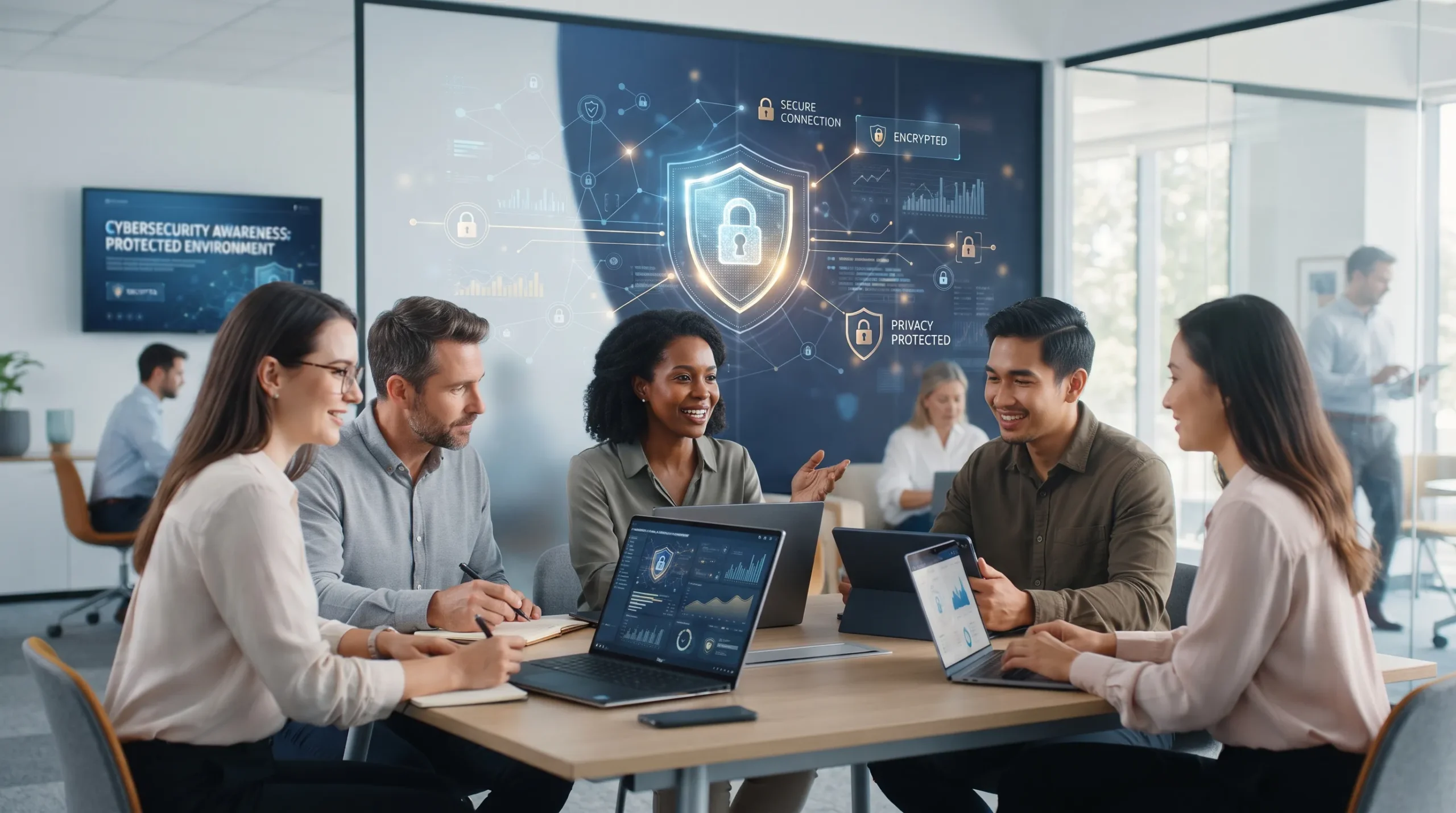
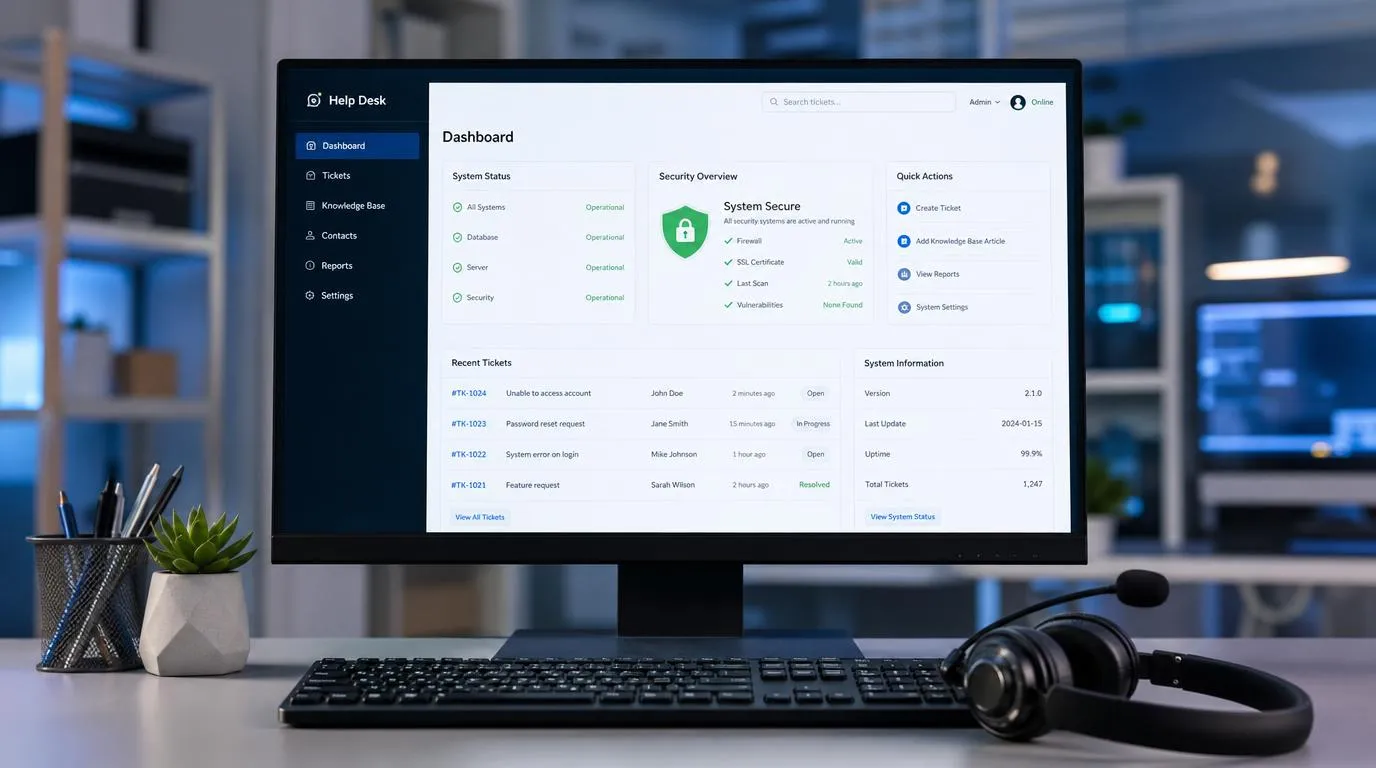
The stories and images presented in this section are illustrative and metaphorical, showing how certain fraud scenarios can occur in real life. The stories are fictional and provided for educational purposes; for safety and ethical reasons, we do not use real faces, but rather AI-generated imagery.
Basic Concepts and the Security Triad
To effectively understand how to protect yourself in the digital world, it is essential to consider the Security Triad, a foundational concept in cybersecurity. This core model is built on three connected principles that work together to provide broad protection against digital threats:
-
Confidentiality: This ensures that your sensitive information remains private and accessible only to you or authorized individuals. For example, using strong passwords, enabling Two-Factor Authentication (2FA), and being careful about who you share personal information with help keep your data out of the wrong hands.
-
Integrity: Ensures the accuracy and reliability of your data, guaranteeing that your information hasn’t been secretly altered or tampered with. Regularly updating your software and avoiding suspicious links are key steps to preserving this integrity.
-
Availability: Finally, availability ensures that your information and systems are accessible whenever you need them. This involves proactive measures such as maintaining reliable backups and defending against attacks like ransomware that could lock you out of your files.
These three principles, working together, create a strong defense. Understanding and applying the Security Triad helps reduce risks and improves your ability to recognize and respond to threats effectively.
Case Study (Fictional Scenario): Steve's Everyday Approach to Cybersecurity
Steve is a retired veteran who understands that cybersecurity is not about being a technology expert. It is about developing good habits, staying calm, and making thoughtful decisions when unexpected situations arise.
Like many people, Steve uses email, online banking, shopping websites, and his smartphone as part of his daily routine. Although these activities are part of everyday life, scammers sometimes disguise fraudulent requests as ordinary interactions, such as a phone call from a bank, an email requesting account verification, or a message that appears to come from a trusted company.
What distinguishes Steve’s approach is not advanced technical knowledge, but his willingness to pause, verify information, and follow practical security measures before taking action. Rather than relying on appearances or responding to urgency, he takes time to consider whether a request is legitimate.
The following fictional case study illustrates how Steve applies the three principles of the CIA Triad, Confidentiality, Integrity, and Availability, to protect his personal information and make more informed decisions in everyday life.
Confidentiality: Protecting Private Information
Scenario: Steve receives an unexpected phone call from someone claiming to represent his bank. The caller says there is suspicious activity on his account and urgently asks him to verify his online banking password and provide the security code sent to his phone.
Steve’s Response: Instead of reacting immediately, Steve recognizes that an unsolicited caller’s identity cannot be established simply by what the caller claims. He refuses to disclose his password or verification code, politely ends the conversation, and contacts his bank using the official customer service number printed on the back of his debit card.
Security Principle: By protecting his credentials and independently verifying the request, Steve helps safeguard the confidentiality of his personal and financial information.
Outcome: Steve does not disclose his credentials or verification code, preventing the caller from using that information to gain access to his accounts.
Integrity: Protecting Accurate and Trustworthy Information
Scenario: The next day, Steve receives an email informing him that one of his online accounts requires immediate verification. The message instructs him to download an attached file.
Steve’s Response: Rather than opening the attachment, Steve notices several warning signs, including unusual wording and an unexpected file. He also understands that a message can appear authentic even when it contains no spelling errors. AI-generated content can imitate legitimate communication styles, logos, and voices, making familiar appearances insufficient to establish authenticity.
Instead of relying on the message’s appearance, Steve accesses the company’s official website by typing its known web address directly into his browser. He checks his account through this independent channel rather than following the instructions in the unexpected email.
Security Principle: By avoiding suspicious attachments and verifying information through a trusted channel, Steve reduces the risk of malware infection, unauthorized changes to his data, and other threats to information integrity.
Outcome: Steve avoids exposing his device to the suspicious attachment and does not rely on an unverified message to make decisions about his account.
Availability: Ensuring Continued Access
Steve values his independence and understands that important information should remain accessible when he needs it. Technical failures, cyberattacks, accidental deletions, and other unexpected events can interrupt access to digital files. Preparing for these situations can help reduce their impact.
His Approach: Steve follows a proactive backup strategy by keeping copies of essential documents, photos, and important records in secure cloud storage and on a separate physical backup device. He periodically checks that his backups are accessible and that he can restore his files when necessary.
The Test: One day, Steve experiences a computer failure and can no longer access the files stored on his device. Fortunately, he has prepared in advance. He retrieves his backup copies and restores the information he needs to continue his daily activities with minimal disruption.
Result: By maintaining reliable backups and periodically checking his recovery process, Steve improves his ability to regain access to important information when unexpected problems arise.
Key Takeaway
Steve’s experience demonstrates that cybersecurity does not depend on a single tool or product. It is supported by consistent habits that help protect the confidentiality, integrity, and availability of personal information.
By pausing before responding, verifying unexpected requests independently, and preparing for data loss, Steve shows how practical decisions can help reduce exposure to fraud and other digital threats.
You do not need to be a technology expert to make safer decisions. A calm approach, thoughtful verification, and consistent protective habits can make a meaningful difference in everyday digital life.
The Mindset of a Leader
While the Security Triad provides the theoretical foundation of digital protection, its true value emerges when applied in everyday life. As Steve demonstrates, these three pillars are not just technical concepts, but practical principles that, when integrated into daily routines, support long-term resilience, confidence, and the personal autonomy every senior deserves to maintain.
Recognizing the Hooks: Steve’s Guide to Deceptive Tactics
Steve learns to recognize the most common “deceptive hooks” used by cybercriminals to bypass the Security Triad. He understands that these messages, especially those containing links or phone calls from individuals claiming to be bank representatives, are designed to trigger reaction rather than reflection.
-
Urgency and Threats
Scammers use fear to force immediate action. Steve identifies these phrases as clear warning signs:-
“Urgent! Your account will be blocked in 24 hours if you don’t verify your identity.”
-
“We need to verify your identity. Please provide your credentials.”
-
“Your account has been temporarily suspended. Click here to restore access.”
-
“Alert: Your account is under security review.”
-
-
Unusual Activity Alerts
These hooks appear protective in order to gain trust. Steve remains cautious when he sees:-
“We detected unusual activity on your account. Please confirm your information now.”
-
“Security alert: We detected an unauthorized login attempt.”
-
“A new device has accessed your account. Review it immediately.”
-
-
Financial Lures
Greed or fear of losing money is a powerful motivator. Steve knows to be wary of:-
“You have a pending refund. Log in to claim it.”
-
“Confirm your payment method to avoid extra charges.”
-
-
Account Maintenance and General Verification
These messages look official and routine, but can sometimes be used as deceptive traps.-
“We need to update your security information to avoid account closure.”
-
“Your password has expired. Update it now to avoid service interruption.”
-
Final Note: The Principle of Verification These alerts, such as urgent warnings, restore access messages, or account suspension notices, are not meant to be ignored or assumed malicious. Instead, Steve understands that the key principle is verification. When in doubt, he does not rely on the message itself. He confirms its legitimacy through official channels, such as contacting the organization directly using verified phone numbers or submitting inquiries through their official, authenticated support platforms. This approach ensures that he obtains specific, accurate information while avoiding deceptive communications.
Understanding Online Fraud
Even the smartest individuals can be tricked by clever fraudsters, but awareness and strategy give you the upper hand. This section provides essential insights into common types of online fraud and how criminals use psychological tactics, like social engineering, to manipulate even experienced users. By understanding these methods, you gain the power to act decisively and protect your personal and financial information.
Maintaining awareness does not require confrontation. A person can remain respectful and courteous while still protecting themselves. It is always appropriate to end a suspicious call, ignore or delete a questionable message, and take time to verify information through trusted channels.
Security is not about creating conflict; it is about making thoughtful decisions. When necessary, suspicious activity can be reported through appropriate private channels without alerting or engaging the individual attempting the deception.
What Is Social Engineering?
Building on the introduction presented on the home page, this section expands on the concept of social engineering. Unlike traditional hacking, the target is not the system but our psychological architecture, exploiting human behavior as the most unpredictable link in the security chain. Rather than relying solely on technology, it uses manipulation techniques designed to exploit trust and gain unauthorized access to sensitive information.
Phishing is the most visible form of this threat. Attackers impersonate legitimate organizations, such as banks, government agencies, or well-known companies, to deceive individuals into revealing personal or financial information under a false sense of trust.
The Mechanics of Deception: Exploiting Emotional Triggers
Cybercriminals do not attack at random. They carefully design scenarios intended to undermine sound judgment by exploiting key emotional triggers.
Fear: Used to create panic that overrides critical thinking.
Example: “Your account will be suspended within 24 hours unless you verify your information immediately.”
Sense of Urgency: Time pressure encourages victims to act impulsively instead of verifying the authenticity of the message.
Example: “Your system will be locked in 15 minutes. Download this file immediately to prevent interruption.”
Empathy: Appeals to your willingness to help, lowering your natural security instincts in response to fraudulent requests.
Example: A friend or family member appears to be facing an emergency and requests immediate financial assistance.
Curiosity: Sparks interest through misleading promises or unexpected events, directing victims to malicious links.
Example: A notification about an unexpected package that requires immediate action.
False Legitimacy: Attackers use previously collected personal information to convincingly impersonate trusted individuals or organizations and establish credibility.
Example: A phone call from someone claiming to be an official representative who confirms real personal details before requesting confidential information.
Why Even the Smartest Can Fall
-
Human Nature: Emotions often override logic. Fear, hope, or the desire to help can make anyone vulnerable.
-
Appearance of Authenticity: Scammers mimic real communications with logos, professional language, and plausible details.
-
Initial Trust: They appear polite, helpful, and credible, making it easier to lower your guard.
Takeaway: Awareness transforms vulnerability into informed decision making. Recognizing these tactics and taking a moment to verify before acting is one of your strongest defenses.
Common Fraud Schemes: Recognizing the Tactics
The digital world brings convenience, but it also creates new opportunities for fraudsters to target individuals. Scams take many forms, from deceptive messages to sophisticated financial schemes, but they all rely on manipulation and misdirection.
This section highlights some of the most common types of online fraud, outlining how they typically operate, the warning signs to look for, and key considerations that can help strengthen your ability to protect your personal information, finances, and those you care about.
Understanding the Architecture of Fraud
When people learn to recognize how fraudulent situations are constructed, they gain something more valuable than technical knowledge: they develop a clearer framework for evaluating suspicious interactions. Once individuals understand common patterns, such as urgency, emotional pressure, forced decision-making, and manufactured legitimacy, unfamiliar situations can become easier to assess. What once felt overwhelming may become recognizable.
This recognition can create an important moment of clarity. Instead of reacting immediately under pressure, individuals can slow down, observe the signals, and approach the situation with a more composed mindset. The awareness of “I recognize this pattern” can reduce the influence of the urgency scammers attempt to create. By understanding the structure behind these tactics, people can make more deliberate decisions based on awareness, verification, and confidence rather than fear. Lastly, independent verification closes the circle, ensuring that decisions are grounded in confirmed information rather than manipulated cues.
Suggested Security Measures and the Role of Independent Verification
Not every unexpected message, call, or security alert is fraudulent. Legitimate notifications from banks, service providers, and other institutions may play an important role in protecting accounts and maintaining security.
The objective is not to ignore these communications, but to verify them through independent channels before taking action. This approach helps individuals distinguish between legitimate requests and attempts to create urgency or influence decisions.
Independent verification provides a reliable way to balance caution with confidence, allowing people to respond appropriately while reducing the risk of falling victim to manipulation.
1. Gift Card Scams

Knowledge gives you the peace of mind to pause, assess, and use your judgment when faced with an unexpected request.
Description: Fraudsters often pressure individuals into purchasing gift cards and sharing the codes by impersonating authority figures, businesses, or even people they know, including family members. Gift cards are frequently used in these schemes because they function like cash; once the code is disclosed, recovering the funds is extremely difficult.
Example: You receive a message claiming that an urgent payment is required to resolve a government fine or assist a relative in distress. The message instructs you to purchase gift cards such as Amazon or iTunes and provide the codes by phone or text. In reality, the “emergency” is fabricated, and the scammer disappears with the funds.
-
Consider These Protective Measures:
-
Pause and Verify: Requests for payment through gift cards strongly deviate from standard payment practices. Always confirm the situation through trusted and official communication channels before taking any action.
-
Recognize Pressure Tactics: Urgency combined with non-traceable payment methods is a strong indicator of fraud.
-
Report Suspicious Activity Early: If you suspect a scam or have already shared a gift card code, contact the gift card issuer immediately. In some cases, rapid reporting may help limit financial loss or prevent further misuse if the funds have not yet been redeemed. You should also report the incident through official channels, such as consumer protection agencies, financial institutions, or relevant law enforcement authorities, depending on the circumstances.
-
Promote Awareness Within Your Circle: Sharing knowledge about this tactic helps reduce risk, especially for individuals who may be more frequently targeted.
2. Government Agency Impersonation Scams
Description: Fraudsters sometimes pose as government agencies, such as the DMV, IRS, or DHS, to obtain personal or financial information under the appearance of official procedures. These schemes often create a false sense of urgency to prompt quick decisions.
Example: You may receive a call claiming to be from the Department of Homeland Security stating that your identity is under federal investigation and requesting personal information or immediate payment.
Consider These Protective Measures:
Pause Before Responding: Messages that rely on fear or urgency are often designed to bypass careful judgment. Taking a moment to evaluate the situation helps support more informed and confident decision-making.
Protect Sensitive Information: Government agencies generally do not request confidential data or immediate payments through unsolicited phone calls, emails, or text messages.
Confirm Through Official Channels: When in doubt, end the communication and contact the agency using the verified phone number listed on its official .gov website to ensure the request is legitimate.
Report Suspicious Activity: Fraud attempts can be reported at ReportFraud.ftc.gov. If the contact occurs online, filing a report with IC3.gov helps support broader efforts to track and disrupt impersonation schemes.
3. Lottery and Sweepstakes Scams
Description: Fraudsters may contact individuals claiming they have won a significant prize, such as a lottery, sweepstakes, or luxury vacation. To “release” the winnings, they often request advance payments for supposed taxes, processing fees, or delivery costs. In most cases, legitimate prizes do not require upfront payment.
Example: You receive a phone call or letter stating that you have won a multi-million-dollar prize. The caller explains that you must wire $500 to cover IRS tax fees before the prize can be delivered. After the payment is sent, the prize never arrives, and communication stops.
Consider These Protective Measures:
-
Verify Before Acting: Winning a contest you never entered is a clear warning sign. Legitimate sweepstakes do not require payment to award a prize and typically follow formal notification procedures.
-
Be Cautious with Payment Requests: Any prize that requires immediate payment through wire transfers, gift cards, or cryptocurrency should be treated with extreme caution. Requests structured this way strongly indicate fraudulent intent.
-
Report Suspicious Activity: Filing a report at ReportFraud.ftc.gov or IC3.gov supports broader efforts to identify and disrupt these schemes. If the contact occurred through physical mail, notifying the U.S. Postal Inspection Service is also a constructive step.
-
Protect Sensitive Information: Financial details, account numbers, and Social Security information should never be shared with anyone claiming you have won a prize. Limiting access to this data helps reduce the risk of identity theft and long-term financial harm.
4. Medicare and Health Insurance Scams
Description: Scammers may pose as government officials or Medicare representatives to gain access to personal information or money. Common tactics include claiming that your benefits are at risk, offering a “new high-security card,” or suggesting you are eligible for a special refund. These claims are designed to create urgency and pressure targets into sharing sensitive data.
Example: You may receive a call from someone claiming to represent Medicare, stating that your current card is expiring and requesting your Medicare ID number and banking details to issue a new “high-security” card. In reality, this information is used to commit medical identity theft or access financial accounts.
Consider These Protective Measures:
-
Verify Before Acting: Medicare does not make unsolicited calls requesting your Medicare number or financial information. When in doubt, end the call and contact Medicare directly at 1-800-MEDICARE using the official information found at Medicare.gov.
-
Question Urgent Requests: Be cautious of anyone threatening to cancel your health coverage or benefits unless you provide information immediately. Official communications are typically delivered through formal written notices by mail, not unexpected phone calls.
Report Suspicious Activity: If a Medicare scam is suspected, it can be reported to the Senior Medicare Patrol (SMP) or the FTC via ReportFraud.ftc.gov. Incidents involving online or email contact can also be reported to the FBI at IC3.gov. Reporting helps authorities track and prevent these scams.
Protect Your Information: Treat your Medicare card like a credit card. Never share your Medicare number or Social Security number with anyone contacting you unexpectedly by phone, email, or in person. Legitimate representatives will not request these details to “update” your card.
5. Sharenting Fraud (Oversharing Exploitation)
Description: Sharenting fraud occurs when scammers take advantage of personal information shared publicly by parents or family members on social media. Photos, names, routines, school details, and locations can be collected and used to impersonate relatives, answer security questions, create fake profiles, or target children and elderly family members for scams, identity theft, or social engineering attacks. When too much personal information is available online, criminals can assemble convincing stories that appear familiar and trustworthy.
Example: You regularly share photos of your children or grandchildren, including their names, school activities, uniforms, or places you visit. A scammer uses this information to contact a relative, pretending to be a family member in distress, or uses the child’s details to guess passwords, reset accounts, or build realistic fake profiles that look legitimate.
Consider These Protective Measures:
Limit What You Share Publicly: Avoid posting full names, birthdays, school names, locations, or daily routines of children or family members on public or open social media accounts.
Review Privacy Settings: Set social media profiles to private and restrict who can view or share your posts. Regularly review your friend lists and remove unknown or inactive contacts to maintain a trusted network.
Educate Family Members: Talk with relatives, especially older adults, about how scammers use shared photos and personal details to create convincing impersonation scams. Awareness across generations is a strong defense.
Report Misuse: If you discover fake profiles or suspicious messages using family photos or identities, report them immediately to the social media platform. If financial harm is involved, report the fraud to the FTC or the FBI at IC3.gov.
Think Before You Post: Ask yourself whether the information could be misused by a stranger. Once shared online, photos and details can be copied and stored indefinitely, making mindful sharing one of the strongest long-term protections.
6. The Grandparent Scam (Family Emergency)
Description: Scammers exploit the emotional bond between family members by pretending to be a grandchild or relative in a serious emergency. They create a sense of urgency and crisis to bypass the victim’s logic and pressure them into sending money immediately.
Example: You receive a call late at night from someone who sounds like your grandson. He says, “Grandma, I’m in trouble. I was in a car accident and I’m in jail. Please don’t tell my parents, I’m so embarrassed. I need $2,000 for bail right now.” The caller begs you to send money via wire transfer or cryptocurrency to a “lawyer” who will supposedly help.
Consider These Protective Measures:
Verify Before Acting: If you are worried the emergency might be real, tell the caller you will call them back. Hang up and immediately contact your grandchild or their parents using a phone number you already have saved in your contacts. This simple step ensures you are speaking with your real family member before taking any action. Even if the caller insists on secrecy, verifying independently is the safest response.
Question Urgent Requests: Be highly skeptical of any request for money that involves secrecy or immediate action. Scammers rely on emotional pressure to prevent careful thinking. Real emergencies still allow time for a quick verification call.
Report Suspicious Activity: Let your family members know about the incident so they can remain alert. Report the scam or attempted scam to the FTC at ReportFraud.ftc.gov and the FBI at IC3.gov. If money was sent or financial loss occurred, also contact your local police department to file a report and create an official record.
Secure Your Accounts: Be mindful of the personal and family information you share on social media. Scammers often use publicly available details to make their stories appear more convincing. Regularly review your privacy settings to help ensure that only trusted contacts can view your posts and personal information.
7. Phishing (Deceptive Communications)

Phishing works by disguising the sender’s identity. Verification is your safest first step.
Description: Phishing involves sending fraudulent emails, text messages, or other electronic communications that appear to come from trusted institutions with the intent to steal personal or financial information. These scams exploit human trust, urgency, or fear, making even experienced users vulnerable. Phishing can take many forms, including messages pretending to be from banks, government agencies, or well-known companies.
Example: An email claiming to be from your bank states there is an issue with your account and asks you to click a link to verify your information. Clicking the link redirects you to a fake website designed to steal your login credentials. Variations include text messages warning of account suspension or phone calls pressuring you to provide sensitive data.
Consider These Protective Measures:
-
Verify the Sender’s Identity: Carefully check the email address, phone number, or website. Legitimate institutions will never request sensitive information via email, text, or unsolicited calls.
-
Avoid Clicking Suspicious Links: Always access the website directly through your browser instead of using links in emails or messages. Scammers often create fake “mirror” websites¹ that look identical to the real one, so typing the URL yourself ensures you are visiting a legitimate site.
-
Enable Two-Step Authentication: This adds an extra layer of security to your digital life. Even if a scammer manages to obtain your password, they cannot access your account without the second factor, such as a code sent to your trusted device.
-
Stay Alert to Unusual Requests: Be cautious of messages that create a sense of urgency or threaten immediate consequences. Scammers rely on panic to push victims into quick, unthinking action.
-
Promote Collective Awareness: Recognize common phishing tactics, such as spelling errors, generic greetings, or unexpected attachments, and share these warning signs with family and friends. Strengthening your circle’s knowledge is one of the most effective ways to disrupt these fraud networks.
-
Note: In this case, the message contains obvious grammatical errors, which is a potential sign of deception; however, as we have seen previously, the level of professionalism does not define the legitimacy of a message.
[1] What is a Mirror Website?
Concept: A “mirror website” is a replica of an existing website. In legitimate use, mirror sites are created by organizations to improve speed, reliability, or regional access.
Usage in Fraud: Scammers abuse this concept by creating fake websites that visually replicate trusted platforms such as banks, social media services, or online stores.
The Deception: Because the design, logos, and layout appear identical to the real site, users may believe they are on a legitimate platform.
The Trap: These sites are designed to capture sensitive data, such as login credentials, when users attempt to sign in.
Protective Practice: The safest way to avoid fraudulent mirror websites is to manually type the official web address into your browser or use a saved trusted bookmark. Avoid accessing login pages through links received via email or text messages.
8. Smishing (SMS Phishing)
Description: Smishing is a type of phishing that uses text messages (SMS) to trick individuals into revealing personal, financial, or account information. Scammers often create urgency, such as “suspicious activity on your account” or “a delivery attempt failed,” to prompt quick, unthinking action. Due to the immediacy and personal nature of mobile communication, this method is widely used, especially against older adults.
Example: You receive a text claiming to be from a major online retailer or delivery service, such as Amazon, FedEx, or UPS, stating there is an urgent issue with your order. It asks you to click a link to “verify your identity” or “re-route your package.” Clicking the link leads to a fraudulent page designed to capture your login credentials or credit card information.
These Protective Measures:
-
Be Cautious with Unexpected Messages: Not every unexpected message is fraudulent. However, if you were not expecting a product, service, delivery, or account notification, avoid responding, clicking links, or opening attachments. Unsolicited messages that have no clear connection to your activities are often best ignored.
-
Avoid Clicking Links in Texts: Instead of using links included in text messages, open your web browser or the organization’s official app and navigate to the service yourself. Scammers often use shortened or misleading links to conceal malicious destinations.
-
Note on Shortened URLs: Not all shortened links (such as bit.ly or tinyurl.com) are fraudulent; many legitimate businesses use them to save space in text messages. However, because shortened URLs hide the final destination, a safer practice is to access the company’s official website or verified app directly when you need to review account information, messages, or notifications.
-
Verify Through Official Channels: If a message claims your account is locked or a package is delayed, avoid providing personal information directly through the message. Legitimate organizations often already have the information associated with your account or service. If additional details are requested, contact the organization through its official website, verified app, or trusted contact information to confirm the request before sharing any sensitive information.
-
Look for Red Flags: Major security agencies such as the FTC (Federal Trade Commission), CISA (Cybersecurity and Infrastructure Security Agency), and the FBI continue to consider grammatical and spelling errors as valid indicators of potential fraud attempts. However, their most recent guidelines reflect the evolution of the digital landscape driven by artificial intelligence.
Although these “red flags” remain relevant, security organizations have updated their approach. Attackers can now use AI tools to generate more polished and convincing messages. Therefore, the current guidance is not limited to looking for obvious errors, but rather focuses on identifying more subtle inconsistencies, changes in tone, or elements that do not fit legitimate communication patterns. Human Judgment as a Central Barrier: In this context, the new guidelines emphasize that human judgment and critical thinking remain the essential final line of defense.
-
Report and Block If a message is confirmed to be fraudulent or suspicious after independent verification, users should report it through their mobile carrier’s official reporting channel or the platform’s builtin reporting tools, and block the sender to prevent further contact. This action helps protect the individual and contributes to broader community safety by limiting the reach of malicious actors.
-
Pro Tip: Customers of AT&T, T-Mobile, and Verizon can forward suspicious text messages to 7726 (“SPAM”), a dedicated reporting number supported by these carriers.
9. Vishing (Voice Phishing) & Social Engineering

Description: Vishing is a sophisticated form of fraud in which scammers use social engineering, a psychological technique designed to bypass logical thinking. They impersonate trusted professionals from banks, government agencies, or service providers. Their primary tool is not technology, but the manipulation of human emotions such as fear, urgency, curiosity, or empathy, in order to gain cooperation and access sensitive information.
Example: You receive a call from someone claiming to be from your bank’s fraud department. The caller says there is suspicious activity on your account and urges you to provide your account number, Social Security Number, or even download software to “secure” your device. In reality, the caller is a scammer attempting to steal your personal information or gain access to your accounts.
Consider These Protective Measures:
-
Pause and Verify: Do not provide personal or financial information over the phone unless you initiated the call. Scammers rely on pressure and urgency to bypass rational judgment.
-
Use Official Channels: If a caller claims to be from a bank, government agency, or service provider, hang up politely and call the official number listed on your statements, website, or official correspondence.
-
Recognize Emotional Manipulation: Scammers often create fear, urgency, or sympathy to prompt hasty decisions. Be aware of these tactics and take a moment to think before responding.
-
Report Suspicious Calls: Notify the FTC at ReportFraud.ftc.gov and the FBI at IC3.gov about any potential vishing attempts. If financial or identity theft occurs, inform your bank or service provider immediately.
-
Protect Your Accounts: Keep sensitive information private and enable two-factor authentication whenever available. Never share verification codes or passwords over the phone.
10. Refund Calls: Understanding and Defending Against Refund Scams
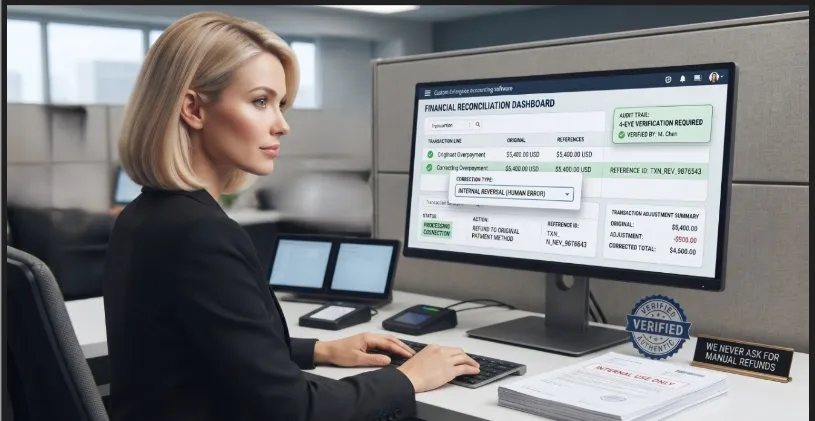
Refund errors are resolved through formal accounting procedures, not through personal repayment requests. Any manual refund request is a warning sign.
Fraudsters contact individuals claiming they are entitled to a refund from a recent purchase, a utility overpayment, or even a government program. Their goal is to obtain banking credentials or trick victims into making an upfront payment to “process” the transaction.
Example: Imagine receiving an urgent call regarding a “subscription renewal” you never authorized. To resolve it, a scammer posing as a “Refund Representative” guides you through a process on your computer. While supposedly issuing your refund, they suddenly panic and claim they accidentally entered an extra zero, sending you $2,000 instead of your $200 refund.
Using emotional manipulation, they may pretend to be distressed or claim they will lose their job. They then point to a fake balance displayed on your screen, created by manipulating your browser session, and pressure you to return the “extra funds” via wire transfer or gift cards.
In reality, no money was ever deposited. The urgency is a psychological tactic designed to make you act before verifying the facts.
Consider These Protective Measures:
-
Never Share Banking Details in Response to Refund Requests: Legitimate organizations do not require sensitive information, such as full bank account numbers or passwords, over the phone to process a refund. Genuine refunds are typically credited directly to the original payment method.
-
Be Cautious of Unsolicited Calls: If you were not expecting a refund, treat the call as a major red flag. Scammers often impersonate well-known companies such as Amazon, Microsoft, or local utility providers to exploit familiarity and trust.
-
Verify Through Official Channels: Kindly end the call and contact the company directly using an official number found on its verified website or a previous billing statement. Protecting your peace of mind is part of your security; if you feel pressured or frustrated, it is safer to hang up than to engage in a debate. Never use contact information provided by the caller or displayed on your screen.
-
Beware of “Overpayment” Traps: Any claim that you received too much money and are asked to return the difference is a scam. Legitimate companies can reverse transactions directly and will never request manual repayment via wire transfer, Zelle, cryptocurrency, or gift cards.
-
Report the Attempt: Report these incidents to the FTC at ReportFraud.ftc.gov and to the FBI at IC3.gov. Sharing the details of the scam helps authorities identify patterns and warn others about emerging fraud tactics.
Human Error: Distinguishing Genuine Mistakes from Fraud
It is important to recognize that in realworld situations, genuine human errors can occur. A local business may accidentally process a payment incorrectly or charge the wrong amount. However, individuals are rarely responsible for resolving accounting discrepancies on their own.
Legitimate businesses rely on internal systems designed to review, verify, and correct transactions securely. Because of this, employees will not ask you to personally “fix” a payment error by sending money back or transferring funds outside official channels.
The key distinction is simple: authentic errors are resolved through formal accounting procedures, not through urgent or informal personal requests. Any situation in which you are asked to initiate a manual repayment should be treated as a high-risk warning and verified through official channels before taking action.
Pro tip: After calmly ending the call, use a secure device to review your account notifications, messages, or alerts. Never remain connected while checking your bank balance or account activity. Fraudulent callers may encourage you to stay on the line while you “verify” the situation, keeping you under their influence. Instead, end the call completely and access your account using your trusted browser bookmark or the institution’s official app. Verification should always take place independently of the person who initiated the contact, with your own account serving as the primary source of confirmation.
Important Insight: How Scammers Make “Extra Money” Appear in Your Account
You may wonder: “If I log into my bank and see extra money, it must be real, right?” Not necessarily. Scammers rely on several common deceptive methods:
1. Remote Access & HTML Manipulation (The “Visual Mask”)
-
The Technical Side: Scammers may use Remote Access Software or Remote Access Trojans (RATs) to gain control of a victim’s device. In some cases, they manipulate what is displayed in the browser using developer tools or local page modifications (such as HTML editing).
-
In Simple Terms: They are not changing your actual bank account. They are only changing what you see on your screen. It is similar to writing an extra zero on a printed receipt. Once you refresh the page or log out, the fake balance disappears.
2. The “Transfer from Savings” Trick (Internal Account Movement)
-
The Technical Side: With remote access enabled, scammers may navigate legitimate banking features and transfer funds between accounts (for example, Savings to Checking).
-
In Simple Terms: They are not adding new money. They are moving your existing funds internally to create the illusion of a deposit.
3. The “Fake Check” or Float Deception
-
The Technical Side: Scammers exploit the check clearing process and the temporary availability of funds during the banking settlement period. A fraudulent check may appear “available” before final verification is completed.
-
In Simple Terms: A fake or “rubber” check is deposited, the balance appears temporarily, and the victim is pressured to send money back. When the check eventually fails, the money sent by the victim is already gone.
Pro Tip
If you see an unexpected deposit, do not act on it or transfer any funds. Contact your bank’s official fraud department immediately using verified channels. Legitimate financial institutions will always resolve discrepancies through internal verification and secure procedures.
Remember: No legitimate organization will ever ask you to manually correct an overpayment by sending money via Zelle, wire transfer, cryptocurrency, or gift cards.
11. Credit Card Charge Scams
Description: Scammers attempt to trick individuals into “verifying” or “canceling” unauthorized charges on credit or debit cards. They often impersonate well-known companies such as Amazon, Netflix, or PayPal. Their goal is to create urgency and pressure, encouraging quick action before the victim has time to verify the information.
Example: You might receive a text or email stating: “An order for a $999 laptop has been placed. If you did not authorize this purchase, call our fraud department at [scam number].”
When you call using the number provided, the person on the other end may request your full card number and CVV to “cancel the transaction.” In reality, no charge ever existed. The objective is to obtain your financial information in order to make unauthorized purchases.
Consider These Protective Measures:
-
Avoid Using Links or Numbers Provided in Messages: Alerts about suspicious charges may be fraudulent. Always rely on official communication channels.
-
Check Your Transactions Independently: Log in directly to your bank’s official app or website by typing the address manually. If the charge does not appear, the message is likely a scam.
-
Contact Your Bank Through Verified Channels: If you identify a real unauthorized charge, call the number on the back of your physical card. Request assistance and, if necessary, a replacement card.
-
Enable Real-Time Notifications: Set up transaction alerts through your bank’s official app or SMS services. These notifications provide immediate awareness of account activity.
-
Report Even Small Incidents: Do not underestimate minor financial losses. Reporting incidents at ReportFraud.ftc.gov or IC3.gov helps authorities identify fraud patterns and track criminal activity. Scammers often rely on small, unreported losses to continue their operations.
Why Reporting Small Amounts Is a Security Priority
You might think: “It was only $50 or $100, is it worth reporting?“ The answer is a definitive yes.
-
The Power of Patterns: Authorities like the FBI (IC3) and the FTC do not just look at individual losses; they look for patterns. Your report of a small, seemingly insignificant scam can be the final piece of the puzzle that links a criminal network to hundreds of other victims.
-
The “Low-Yield” Strategy: Scammers often target small amounts ($20–$100) precisely because they know people are less likely to report them. By reporting these “small” losses, you help dismantle the criminal business model that relies on high-volume, low-effort fraud.
-
Preventing Escalation: A fraudster who successfully takes $50 from you today will likely target you, or your neighbor, for a much larger amount tomorrow. Reporting is an act of community defense.
Key Insight
Scammers depend on victims not reporting incidents. Even small reports help build the data needed to detect patterns, identify networks, and stop ongoing fraud operations.
12. Identity Theft & Impersonation Scams
Description: Scammers impersonate trusted individuals, such as friends, family members, romantic interests, or company representatives, to persuade victims to send money or disclose sensitive information. This type of fraud can affect anyone, not only older adults. These scams rely on trust, urgency, and emotional pressure to make the situation appear personal and time-sensitive.
Example: You may receive a message from someone claiming to be a relative or close friend. They might state they are stranded abroad, facing legal trouble, or hospitalized, and urgently request money through gift cards, wire transfers, or cryptocurrency.
In reality, the message is sent by a scammer using a compromised account or impersonating a known contact to exploit trust and emotional response.
Consider These Protective Measures:
-
Verify Before Acting: Pause before responding. Contact the person directly using a phone number already saved in your contacts. Never rely on contact information provided in the message.
-
Watch for Unusual Payment Methods: Legitimate emergencies and official organizations do not request payment via gift cards, cryptocurrency, or wire transfers. These methods are strong indicators of fraud.
-
Establish a “Family Password”: Create a private word or phrase known only to trusted family members. This can be used to quickly verify identity in urgent situations.
-
Protect Your Digital Accounts: Enable Two-Factor Authentication (2FA) on email and social media accounts to reduce the risk of account takeover and impersonation.
-
Report the Attempt: If the incident involved a text message (SMS), you can forward it to 7726 (“SPAM”), a reporting service supported by carriers like AT&T, Verizon, and T-Mobile to investigate and block fraudulent senders. If the contact occurred through a social media platform or messaging app, report it directly using that platform’s built-in reporting tools. Additionally, submit a report through official government channels, such as ReportFraud.ftc.gov. If any financial loss occurs, contact your financial institution and local law enforcement promptly so the event can be documented and addressed through formal procedures.
The “Cooling Off” Rule
Whenever a message requests money, especially from someone you know, immediately stop the conversation. Take at least 15 minutes to independently reach out to that person through a different, established channel (like a voice call). If they truly were in trouble, they will understand the need for security verification.
Identity Impersonation (Self-Impersonation / “They Are Using My Identity”)
Description: In some cases, scammers do not impersonate a family member or company, they impersonate you. This occurs when a criminal gains access to your email, social media, phone number, or online accounts and uses your identity to contact others, request money, or send fraudulent messages.
This type of fraud can be especially dangerous because the message appears to come from a trusted and verified source: you.
Example: A friend or family member may receive a message that appears to come from you. The message may claim you are in trouble, need urgent financial help, or have changed your contact information. In reality, your account has been compromised, and a scammer is using your identity to target your contacts.
Consider These Protective Measures:
-
Verify Unusual Messages Sent in Your Name: If someone contacts you about a suspicious message they received from you, assume your account may be compromised and investigate immediately.
-
Secure Your Accounts Immediately: Change passwords for email, social media, messaging platforms, and any financial or sensitive accounts linked to your identity. Use strong, unique passwords for each service and avoid reuse. Review recovery options to ensure they have not been altered.
-
Enable Two-Factor Authentication (2FA): Add an extra layer of protection to prevent unauthorized access even if your password is stolen.
-
Check Account Activity: Review login history and active sessions. Log out of unknown devices immediately.
-
Warn Your Contacts Quickly: Notify friends and family through a verified channel so they do not fall victim to fraudulent messages.
-
Report the Incident: Report the compromise to the platform where it occurred. Additionally, identity misuse should be reported through official channels such as ReportFraud.ftc.gov. If financial fraud is involved, contact your financial institution and local law enforcement promptly so the event can be documented and addressed through formal procedures.
Pro Tip
When your identity is compromised, the attacker no longer needs to convince strangers; they weaponize your own trust network against itself. Rapid account recovery and immediate communication with your contacts are the two most critical steps to limiting the damage.
13. Social Media Fraud
Description: Criminals exploit social media by creating fake promotions, sweepstakes, and deceptive advertisements to trick users into sharing personal information, downloading malicious software, or paying fees for non-existent prizes.
Example: You may see a sponsored post or page that appears official, offering a luxury vacation or a $1,000 gift card in exchange for completing a simple survey. After participating, you may be asked to provide sensitive information such as your Social Security number for “verification” or to pay a “small shipping fee” to receive the prize.
In reality, no prize exists. The goal is to collect personal data or money through deception.
Consider These Protective Measures:
-
Be Skeptical of “Too Good to Be True” Offers: High-value rewards for minimal effort are a common indicator of fraud. Legitimate companies rarely distribute expensive prizes through random social media interactions.
-
Verify the Official Profile: Check for verified badges, account history, follower consistency, and creation date. Fraudulent accounts often imitate real brands but lack established history.
-
Never Pay to Receive a Prize: Legitimate sweepstakes do not require fees, taxes, or shipping payments in advance. Any request for payment is a strong warning sign.
-
Protect Your Personal Information: Do not share sensitive data such as your Social Security number, home address, or financial information through social media forms or links.
-
Report Suspicious Content: Use the platform’s reporting tools to flag fraudulent posts or accounts. This helps remove scams and protect other users.
-
Secure Your Accounts (2FA): Enable Two-Factor Authentication on all profiles to prevent scammers from hacking your accounts and targeting your friends and family.

Still Want to Participate? (Verification Strategy)
Legitimate companies do conduct sweepstakes, giveaways, and promotional campaigns as part of their marketing and customer engagement strategies. These initiatives are embedded within a regulated commercial ecosystem designed to connect brands with consumers through verified and transparent channels.
From a broader perspective, the CAS approach is based on strengthening the relationship between individuals and legitimate private organizations by reinforcing trust awareness within the digital environment. The objective is not to discourage participation, but to support a more informed and resilient engagement model between users and verified entities.
Fraud typically succeeds by imitating legitimate structures and exploiting urgency or emotional response. For this reason, verification becomes a fundamental component of responsible digital interaction.
By applying structured verification principles before engaging with any promotion, individuals contribute to a more secure and reliable information ecosystem shared between users and legitimate organizations.
-
Call the Source Directly: Look up the official phone number of the company on its verified website (never use contact information provided in the advertisement). Ask directly: “Is this promotion currently active on your official social media channels?”
-
Check the Official Website: If a promotion is legitimate, it will typically appear on the company’s official homepage under sections such as “Promotions,” “News,” or “Events.” If it only exists on social media and not on the official site, it requires additional verification.
-
Review Official Terms and Conditions: Legitimate sweepstakes include clear terms and conditions hosted on the company’s official domain. These documents outline eligibility, rules, and entry requirements in a transparent format.
Fraudulent Activity on Social Media Through “Copycat” Cloned Pages
Copycat accounts are not simple visual replicas; they function as digital disguises engineered to mislead users by replicating trusted brand elements. This includes logos, brand language, and official imagery designed to simulate legitimacy and reduce user suspicion.
How Scammers Exploit Cloned Accounts
-
Identity Theft (Phishing): Fake login pages or forms imitate banks, retailers, or services to capture credentials and account access.
-
Fraudulent Prize Campaigns: Cloned accounts leverage perceived legitimacy to request payments, fees, or sensitive personal information under the pretense of rewards or giveaways.
-
Data Harvesting Operations: Personal information such as names, emails, and phone numbers is collected and later used for resale or targeted fraud campaigns.
-
Malware Distribution: Embedded links or fake applications may install malicious software capable of monitoring device activity or accessing financial data.
-
Secondary Targeting (Social Exploitation): Compromised or cloned accounts may be used to contact the victim’s network, requesting urgent financial assistance under impersonation.
Pro Tip: Always check the username (@handle). Scammers often add extra letters, hyphens, or periods to mimic real accounts (e.g., @OfficialBank vs. @Official_Bankk). If a page claiming to represent a major company has few followers or was recently created, it is likely a Copycat.
Protect Your Wealth and Support Ethical Businesses
By learning how to verify and report suspicious activity, you achieve a dual objective:
-
Protect Your Assets: Reduce the risk of exposing your personal data (PII/SPII) and financial resources to fraudulent actors.
-
Support Legitimate Commerce: Identifying and reporting “copycat” or impersonation activity helps preserve the integrity of legitimate businesses and reduces the impact of fraudulent entities operating in their name
14. Technical Support Scams
Description: Scammers impersonate technical support representatives from well-known companies such as Microsoft, Apple, or Amazon. They claim that your device has critical security issues, including viruses or unauthorized access attempts. Their objective is to pressure users into granting remote access or paying for unnecessary “repair services,” ultimately enabling data theft or malware installation.
Example: A pop-up window suddenly appears on your screen with a loud alarm, or you receive an unsolicited call claiming your computer is infected. The “agent” asks you to download a program to give them control of your mouse and keyboard to “fix” the problem. Once inside, they may access your bank accounts, steal passwords, or lock your files for ransom.
General Safety Guidance
-
Do Not Trust Pop-ups or On-Screen Alerts: Messages that lock your browser or display urgent phone numbers are commonly malicious. Close the browser or restart your device to clear the alert.
-
Use Trusted Security Software: Keep antivirus and system protection tools updated. Legitimate security alerts originate from installed software, not from random websites or unsolicited calls.
-
Be Skeptical of Urgency: Fraudsters rely on fear-based pressure to bypass rational verification. Claims of immediate account compromise should always be independently verified.
-
Avoid Non-Standard Payment Methods: No legitimate technical support provider requests payment via gift cards, cryptocurrency, or wire transfers.
RED FLAG: If someone contacts you claiming your device has a virus or a security issue without you having requested support first, you should treat this as a clear sign of fraudulent activity initiated by the caller. Legitimate tech support does not monitor your personal device in real time, nor do they initiate unsolicited contact to resolve security issues. Any form of device monitoring or remote diagnostics requires a prior service agreement, an active subscription, or a direct request from the user. If someone contacts you unexpectedly claiming to detect problems on your device, the interaction should be treated as high-risk and verified through independent channels.
What Is Remote Access Software Used For?
Remote access software allows a trusted party to connect to and view or control a device from a different location. In legitimate contexts, it is used for:
-
Diagnosing and resolving technical issues on computers or devices.
-
Assisting with configuration of hardware, networks, or applications.
-
Providing remote training or customer support when physical access is not possible.
However, this same technology may be misused by malicious actors who request remote access under false pretenses, such as fake security alerts or fabricated virus infections. If access is granted, they may:
-
Install unwanted or malicious software.
-
Attempt to access personal accounts or financial information.
-
Perform unauthorized actions on the device without the user’s knowledge.
When Is It Legitimate for a Company to Request Remote Access?
Although remote access requests are not typically initiated without prior interaction, there are specific, controlled scenarios where legitimate use may occur:
-
Active support case follow-up: If you have already opened a verified support ticket through an official company channel, a technician may follow up to continue troubleshooting a complex technical issue. Any remote access request should reference that existing case and be performed through approved support platforms.
-
Pre-enrolled premium or managed support services: Some organizations offer subscription-based or concierge-level technical support. In these cases, users are already enrolled in the service, have authenticated their identity, and are typically aware of assigned support representatives before any remote session occurs.
-
Managed corporate IT environments: For company-owned devices enrolled in centralized management systems (such as IT administration platforms), internal IT departments may request remote access to apply security updates, enforce policies, or resolve operational issues. This applies only to managed organizational assets, not personal devices.
How to Verify a Legitimate Remote Access Request
To determine whether a remote access request is legitimate, look for the following indicators:
-
Verified Prior Context: The request is linked to a previously opened support case or an existing service agreement that includes authorized remote assistance. Legitimate support does not initiate access without an identifiable prior interaction.
-
Independent Identity Verification: A genuine technician will allow and encourage you to disconnect and contact the organization directly using official contact information. They will not discourage verification through independent channels. This step ensures that identity confirmation occurs completely apart from the person who contacted you and follows trusted, established verification practices.
-
Professional Communication (No Pressure Tactics): Legitimate support interactions remain calm and technical in nature. They do not rely on urgency, fear, or threats such as immediate account suspension or loss of access.
Stay Safe from Unsolicited Remote Access Requests
If you receive an unexpected call, text message, email, or pop-up from someone claiming to represent a bank, online retailer, technology company, or service provider asking you to install remote access software, treat the request with caution until it has been independently verified.
Recommended Protective Actions:
-
End the Conversation if Necessary: If the request is unexpected, creates discomfort, or involves pressure, politely end the conversation. You are never obligated to continue a call or grant remote access.
-
Do Not Install Software Immediately: Never install remote access software based on an unsolicited request. Take time to verify the situation before taking any action.
-
Verify Through Official Channels: Contact the organization using the phone number or contact information published on its official website or provided in your original account documents, not the information supplied by the caller.
-
Protect Sensitive Information: Never disclose passwords, one-time verification codes, banking credentials, or other confidential information until you have independently confirmed the identity of the representative.
-
Recognize Pressure Tactics: Statements such as “Your account will be suspended,” “Your device is infected,” or “Immediate action is required” are commonly used to create urgency. Legitimate organizations allow customers time to verify requests and make informed decisions.
Case Study: Marbella Receives an Unexpected Support Call
Marbella receives a phone call from someone claiming to be from her bank’s technical support department. The caller explains that suspicious activity has been detected on her online banking account and says her computer may have been infected with malware. To “protect her account,” they instruct her to install remote access software so they can investigate the issue immediately.
Although the caller sounds professional and creates a sense of urgency, Marbella remembers an important cybersecurity principle: she did not request technical support, nor did she open a support case with her bank.
Instead of following the caller’s instructions, Marbella politely ends the conversation and independently contacts her bank using the official customer service number printed on the back of her debit card. The bank confirms that no technician attempted to contact her and that no remote access was required.
Case Outcome
Before taking any action, Marbella paused and asked herself three simple questions:
-
Did I request this technical support?
-
Can I verify this person’s identity through my bank’s official customer service channels?
-
Why am I being pressured to act immediately?
Because she could not confidently answer these questions, Marbella chose not to install the software or grant remote access. Instead, she contacted her bank using the official phone number on the back of her debit card. The bank confirmed that no technical support request had been initiated and that the call was fraudulent.
Lesson Learned: Taking a few moments to pause, verify, and think critically can prevent unauthorized access to your device and protect your personal and financial information.
Important Note: Protecting Integrity and Professionalism
These recommendations do not hinder the legitimate work of technical support professionals who use remote software. On the contrary, our goal is to help people distinguish between genuine services and those with malicious intent. Our purpose is to ensure users always communicate directly with authorized institutions to receive professional assistance. In doing so, we protect users and safeguard the reputation of honest companies, preventing fraudsters from using impersonation techniques to deceive customers.
Understanding Information Requests (The “Gold Standard”)
To support the ethical operations of U.S. institutions while maintaining personal security, it is essential to distinguish between verification and fraudulent extraction.
Ethical Verification: When you call a legitimate company, or when they contact you for a valid reason, they may request partial identifiers to confirm your identity. For example, they may ask for the last four digits of your Social Security Number (SSN) or your date of birth. This is a standard and secure practice designed to protect your privacy.
Fraudulent Extraction: Scammers, by contrast, attempt to obtain full sensitive data that a legitimate institution would already have on file and would not need to request in full.
Red Flags of Data Extraction
Important: These indicators do not apply to routine verification when you initiated the call or when you are already engaged with a verified institution.
-
Full SSN or PIN: Legitimate institutions will never request your full Social Security Number or your private bank PIN over the phone.
-
Passwords or Security Codes: No ethical organization will ask for your online banking password or one-time security codes (OTP) sent to your phone.
-
Complete Payment Credentials: Requests for full credit card details, including CVV, are strong indicators of fraud, especially during unsolicited phone calls. Legitimate entities typically do not ask for full payment credentials over the phone; when payment is required, it is usually done through secure and verified systems or official online forms.
Universal Warning Signs
Even when a caller appears professional, certain requests may indicate potential fraud:
-
Full Sensitive Data: Asking for your full SSN or complete credit card number instead of partial verification (such as the last four digits).
-
Private Access Keys: Requesting PINs, banking passwords, or one-time security codes (OTP).
-
Coerced Actions: Pressuring you to remain on the call while transferring money, purchasing gift cards, or completing urgent financial actions.
Professional Integrity vs. Fraudulent Tactics
Legitimate organizations follow established practices designed to protect customers and maintain trust. Understanding these professional standards helps individuals identify the differences between appropriate business practices and the deceptive approaches commonly used by scammers.
| Feature | The Professional Standard (Legitimate Institutions) | The Fraudulent Tactic (Scammers) |
|---|---|---|
| Tone & Attitude | Calm and respectful. They value your peace of mind and understand if you need time to think. | Urgent and threatening. They create panic, claiming you will be arrested or lose money immediately. |
| Verification | Partial information. They may ask for the last four digits of your SSN or your date of birth. | Full extraction. They demand your full SSN, full 16-digit card number, or CVV security code. |
| Access Keys | Private and protected. They will never ask for your ATM PIN, online passwords, or one-time SMS codes (OTP). | Intrusive. They request your PIN or the “verification code” sent to your phone. |
| Your Security | Encourages caution. They allow you to hang up and call back using an official, publicly listed number. | Demands compliance. They attempt to keep you on the line and discourage verification through other channels. |
| Payment Requests | Official channels. Standard billing systems, official portals, or mailed statements. | Irregular methods. Requests for gift cards, cryptocurrency, or wire transfers via third-party apps. |
Interacting with Legitimate Automated Services
Many ethical U.S. institutions, such as pharmacies, medical offices, and banks, use automated systems to benefit customers by confirming appointments, prescriptions, or account alerts. When you are expecting these calls, it is safe and appropriate to interact with them.
To support the work of these organizations while protecting your security, consider these professional practices:
-
The Keypad Advantage: If an automated call asks you to confirm an action (such as saying “Yes”), consider using your phone’s keypad instead of speaking your response. This provides a secure and reliable way to interact with legitimate automated systems while reducing unnecessary voice exposure.
-
A Note on Unsolicited Calls: If you receive an automated call you were not expecting or that raises any doubt, the most respectful and secure action is to end the call. You can then verify the information through the institution’s official portal or a trusted phone number already associated with the organization.
How Legitimate Institutions Operate: The Security Standard
Legitimate institutions do not call randomly. Their communications are typically contextual, meaning they relate to services you already use or actions you have initiated.
Banks or Credit Cards
Reason: To confirm a recent transaction or verify your identity when you contact them.
Golden Rule: They may request partial identifiers, such as the last four digits of your SSN, but will never ask for full sensitive credentials over an unsolicited call.
Government Agencies (IRS, Social Security, Medicare)
Reason: To provide updates on benefits, respond to inquiries submitted through official channels, or confirm scheduled appointments.
Golden Rule: They will never call unexpectedly to demand payment or request full personal information. Any unsolicited request for sensitive data should be treated as suspicious. These agencies primarily communicate through official mail or secure online portals rather than unsolicited phone calls.
Healthcare Providers or Pharmacies
Reason: To confirm medical appointments, notify you that your prescription is ready, or provide lab results.
Golden Rule: They may use minimal identifiers, such as the last four digits, as a safe verification method to protect your medical privacy.
Utility Companies (Electric, Water, Phone)
Reason: To address billing questions or service changes related to accounts or requests you have previously made.
Golden Rule: They focus on the specific service context and will respect your decision to call them back using their official customer service number.
Understanding Verification: Who Starts the Conversation?
In the professional world, verifying your identity is a standard safety measure. However, there is a key difference between a secure interaction and a potential risk, depending on who initiated the contact. Organizations such as the FTC and CISA emphasize the importance of caution when responding to unsolicited requests for personal information and recommend verifying unexpected communications through trusted channels.
When YOU Call Them: It is common and appropriate for legitimate organizations, such as your bank, doctor’s office, or insurance provider, to request partial identifiers, such as the last four digits of your Social Security Number (SSN) or account information, to confirm they are assisting the correct person. Since you initiated the contact using a trusted number or official channel, this is a routine security practice designed to help protect your privacy.
When THEY Call You: If you receive an unexpected call, even if it appears professional or displays a familiar name on Caller ID, use caution before providing personal information. Avoid sharing sensitive details until you can confirm the legitimacy of the request. Legitimate institutions will understand and respect your decision to verify the communication first.
Understanding Spoofing and the “Digital Mask”
One reason this precaution is so important is that phone numbers alone cannot always be trusted. Modern technology allows criminals to make a call appear as though it is coming from a legitimate organization, even when it is not.
It is important to remember that Caller ID identifies the number being displayed, but it does not verify the identity of the person placing the call. This distinction is one of the reasons independent verification is such an important security habit.
What is Spoofing?
Technically, this is called “Spoofing.” It occurs when a caller uses specialized software to manipulate the information displayed on your Caller ID. They can make it appear that the call is coming from your local bank, a government agency, your doctor’s office, or another trusted organization.
The Concept of the “Digital Mask”
To stay safe, it is helpful to think of Spoofing as a “Digital Mask.” Just as a mask presents a trustworthy face while hiding the person behind it, Spoofing displays a familiar phone number while concealing the caller’s true identity.
Because a digital mask can be created by anyone, we should never base our trust solely on what appears on the screen. Trust should be built through the verification steps we personally choose to follow. Legitimate institutions understand and respect this precaution because protecting your identity is also part of their responsibility.
If you are ever in doubt, the most professional and secure response is to politely end the call and contact the organization through a verified channel, such as the official phone number listed on its website, the phone number printed on the back of your bank card, or another trusted source.
-
Data Protection: A Strategic Daily Routine
Maintaining your digital safety is a simple, everyday habit. Just as we double-check that the door is locked, understanding how information flows helps us stay calm and in control. -
Understanding Modern Information: In today’s environment, it is common for certain personal details, such as names, addresses, or phone numbers, to appear in public records or commercial databases. This reality means that some information may already be accessible to others, even without your direct involvement. Recognizing this helps reinforce why proper identity verification is essential: when basic data is widely available, confirming authenticity through secure and independent channels becomes even more important.
-
Recognizing Standard Procedures: Legitimate institutions have established verification procedures. If a conversation feels like it is moving too fast or requests more personal information than usual, your routine response should be to pause and verify before continuing.
-
The Power of a Professional Pause: Scammers may use a tone of kindness or authority to build a “net of trust.” Your daily habit should be to remember that you always have the right to end the call and verify independently. This is a sign of wisdom, not rudeness.
-
Step-by-Step Awareness: Security is not about a single decision, but about small, consistent choices. By keeping your “final keys,” such as the last four digits of important identifiers, reserved for verified channels only, you ensure that your personal information remains fully under your control.
Case Study 1: Jenny and the Success of the Verified Channel
Jenny detects an unusual charge on her bank account and decides to take preventive action. Instead of waiting, she locates the official number on the back of her card and initiates the call herself.
During the conversation, the agent requests the last four digits of her SSN as part of the standard identity verification process. In this context, the request is legitimate because Jenny initiated the contact through a verified channel. There is no artificial pressure or urgency, and the process remains clear and transparent. This scenario represents a secure and professional interaction where verification protects both the institution and the individual.

Technical Analysis
-
PII Control: Jenny maintained full control over her Personally Identifiable Information (PII). Since she initiated the contact, the data exchange occurred under her own security terms.
-
Protecting the CIA Triad: The Confidentiality and Integrity of her account were maintained. By using an official channel, Jenny ensured her information remained private and secure.
-
The result: Jenny effectively eliminated the risk of Social Engineering. By not waiting to be contacted, she removed the possibility of a third party manipulating her perception or using fear tactics.
Case Study: Johnny and the Value of a Second Thought
Johnny, a well-informed senior, received an unexpected call one afternoon.
“Hello, Mr. Johnny. This is the Security Department from your bank. We detected a suspicious attempt to open a retail credit account in your name for an $1,800 electronics purchase. To stop the transaction immediately, we just need the last four digits of your Social Security Number to verify your identity.”
Technical Analysis: What Mr. Johnny Did Well
Mr. Johnny followed the verification principles recommended by leading cybersecurity institutions. His actions show how structured guidance, rather than intuition, protects users from caller ID deception and impersonation attempts.
Hang Up: Mr. Johnny ended the call immediately. This aligns with standard consumer protection practices: sensitive information should never be shared during an unsolicited or unexpected phone call. His message was clear and procedural: “For my security, I will contact the official number directly.”
Verify Independently – The Digital Mask: Mr. Johnny applied the independent verification step exactly as taught by agencies such as the FTC and CBP. At CAS, we refer to caller ID deception as the Digital Mask. Just as a physical mask hides a face, spoofing hides a caller’s true identity. These institutions emphasize that caller ID information cannot be trusted. Users must obtain contact information independently from a card, an account statement, or an official website before reinitiating communication.
Take Action Through Official Channels: Mr. Johnny returned the call using the verified number printed on his debit card. This ensured the interaction occurred within a secure, documented environment. If the alert was legitimate, the institution would already have a record and proceed according to established procedures. If it was fraudulent, the attacker would have no opportunity to exploit his identity.
The Result: No suspicious attempts were identified. By calmly returning the call through an official channel, Mr. Johnny protected his personal information and financial security.
The Takeaway
Mr. Johnny did not need the call to appear suspicious. The request for the last four digits of his SSN sounded routine, but he relied on established verification principles. With a clear understanding of spoofing and the importance of independent verification, he transformed a potentially risky moment into an effective layer of protection. Secure practices begin with verified channels and user-initiated communication.
Institutional Alignment Statements

General Standard: Government agencies do not typically call, text, or email unexpectedly to request personal information or immediate payment.
-
Federal Trade Commission (FTC) Principle: Hang up or ignore unsolicited requests. Legitimate agencies such as Social Security, the IRS, or Medicare will not contact you to demand payment or sensitive information (such as your Medicare number). Report suspicious activity at ReportFraud.ftc.gov.
-
Caller ID Integrity Warning: Never rely on the information displayed on your screen. Both the IRS and FTC warn that scammers use “spoofing” to manipulate Caller ID. A familiar name or local number is a technical display, not proof of the caller’s true identity.
-
Internal Revenue Service (IRS) Protocol: The IRS generally initiates contact through official U.S. Postal Service mail. It does not demand immediate payment over the phone or threaten arrest or law enforcement action. Report IRS impersonation attempts to the Treasury Inspector General for Tax Administration (TIGTA).
-
USA.gov Consumer Protection: Reporting suspicious communications helps protect the wider community by allowing authorities to track fraud patterns and respond effectively. Reports can be submitted through USA.gov.
-
FDIC Banking Rule: Sensitive financial information should only be shared when you initiate the call. The FDIC warns that scammers frequently impersonate banks and insured financial institutions. Never provide private information during an unsolicited call.
-
State Attorney General Guidance: Always verify contact details independently. State authorities, including the New York State Attorney General, recommend confirming phone numbers through official documents or verified .gov websites, never through information provided in an unsolicited call.
Executive Summary
Key digital security principles based on guidance from the FTC, IRS, and FDIC. Use this guide to help protect your personal data and maintain control over your online and phone interactions.
-
You Initiate, You Control: If you did not initiate the call, do not share sensitive information. Legitimate institutions will always encourage identity verification before any data is provided.
-
“Back of the Card” Rule: Never use contact numbers provided by an unexpected caller. Always verify through trusted sources, such as:
The number on your physical card
Official billing statements
Official (.gov) websites
-
Mail Before Calls: Most official communications begin with written notice sent via postal mail. Unexpected calls demanding immediate payment or urgent action are a common warning sign of potential fraud.
-
Caller ID Is Not Proof: The name or number displayed on your screen can be manipulated. Always verify the caller’s identity independently before taking action.
-
Professional Pause: It is always acceptable to end a call and reconnect through an official channel. Legitimate organizations understand and respect this precaution.
-
Reporting Protects Everyone: Report suspicious calls or messages at ReportFraud.ftc.gov or USA.gov. Reporting helps identify fraud patterns and strengthens community protection.
Transparency Note
Cyber Angel Security is an educational platform. This protocol is intended for informational purposes only and promotes preventive security habits. Always follow official procedures provided by government agencies and your financial institution.
Strategic Repetition: Transforming Knowledge into Instinct
At CAS, We integrate awareness practices with recognized preventive security principles. This approach uses measured, strategic reinforcement to support consistent security behavior, helping individuals respond in ways that are logical, natural, and aligned with established verification guidelines.
Unlike typical daily decisions, vishing and other telephone-based fraud (such as impersonation calls, robocall scams, tech support scams, or fraudulent debt collection calls) often require rapid responses, leaving little time for reflection. In these situations, hesitation can create vulnerability. Purposeful repetition reduces uncertainty by preparing the mind in advance, allowing individuals to respond with clarity and confidence rather than doubt.
This is why certain protective concepts are revisited throughout this guide, not as redundancy, but as a deliberate safeguard. When the brain encounters familiar guidance, it processes risk more quickly and is better equipped to act decisively. The objective is for security awareness to evolve from a conscious effort into an instinctive reflex, enabling you to retain control within seconds when it matters most.
The Power of Case Studies
Real-life-inspired fictional examples, such as the case studies of Jenny and Johnny, are intended solely to illustrate common fraud scenarios and recommended security practices. By observing how these fictional characters navigate uncertainty and apply established verification principles, readers can internalize effective decision-making patterns. These examples serve as practical learning models, making it easier to recall appropriate actions when facing similar situations in real life.
Repetition as Reflex
Repetition of critical concepts strengthens cognitive pathways that support faster decision-making under stress. This process helps ensure that protective actions, such as ending a suspicious call, become automatic, consistent, and confident, even under pressure.
The Digital Mask
Visualize Caller ID as a “Digital Mask.” This mental model reinforces the idea that displayed information can be manipulated. When this signal does not inspire trust, you are empowered to disconnect and verify independently, without hesitation.
Security Tip: The Power of Civility and Calm
Throughout our platform, we promote a culture of kindness, civility, and thoughtful decision-making. From the moment you engage with our educational resources, we emphasize that maintaining your composure is one of your strongest defenses against fraud. This recommendation is built upon five fundamental principles:
-
Prioritizing Health: The health and well-being of our senior community are among our highest priorities. Avoiding anger and unnecessary confrontation helps protect both physical and emotional well-being, reducing unnecessary stress and helping prevent sudden increases in blood pressure during stressful situations.
-
Leading by Example: Maintaining a polite and respectful demeanor reflects personal integrity and sound judgment. While civility may or may not influence the person on the other end of the conversation, it always helps preserve your own peace of mind and allows you to remain focused on making informed decisions.
-
Report Responsibly, Without Confrontation: There is no need to expose, challenge, or threaten a suspected scammer during the conversation. The most prudent approach is to politely end the interaction, independently verify the situation if necessary, and report the incident through the appropriate official channels.
-
Respect Before Judgment: Not every unexpected call or message is necessarily fraudulent. In some cases, it may relate to a service you previously requested, a follow-up to an existing support case, a premium assistance program, or another legitimate service offered by a public or private organization. Since we cannot determine the nature of the interaction at first contact, it is important to treat every individual with courtesy and professionalism while independently verifying their identity through official channels before sharing information or taking any action. Respect for others and careful verification are complementary principles of responsible cybersecurity.

- Calmness Reflects Strength, Not Weakness
Remaining calm during an unexpected or suspicious interaction is not a sign of weakness, it is a demonstration of self-control, sound judgment, and responsible digital citizenship. Fraudsters often rely on fear, urgency, confusion, and emotional pressure to impair a person’s ability to think clearly and make informed decisions.
Denying the Emotional Advantage: By responding with composure, you neutralize one of the fraudster’s primary tactics. Calmness deprives them of the emotional leverage they seek, giving you the time and clarity to evaluate the situation, verify the facts, and make decisions based on evidence rather than impulse.
Personal Integrity and Self-Governance: A calm and respectful response does not imply acceptance of the request. On the contrary, it empowers you to politely decline, end the interaction, preserve your personal integrity, and report the incident through the appropriate channels when necessary.
Strengthening a Culture of Cybersecurity: This approach extends beyond individual protection. It contributes to a stronger cybersecurity culture by promoting thoughtful decision-making, independent verification, critical thinking, and professionalism. In doing so, it diminishes the effectiveness of coercion, intimidation, and other forms of social engineering.